
Avoid Steep Hills With Google Bike Maps

20140719-232249-84169573.jpg

20140719-232249-84169381.jpg
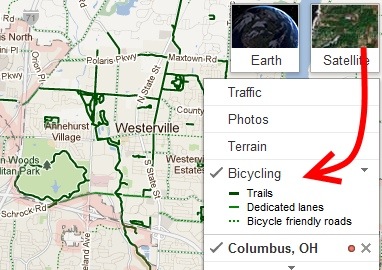
Yesterday I wrote about an iOS app for editing photos. Today I am covering a Google bicycle app for Android. I find this new development pretty incredible and perfect for seniors.

The Android version of Google Maps is going to feature elevation information. I am not sure how Google accomplished this but now cyclists can choose the flattest or steepest routes.

Who ever thought that there would be an app devoted to bicycle trails? Google has every intention of bringing out new map features every few months. We just got lucky that this latest addition came out when seniors can use it most.

We all should exercise, but only a few really do. It’s going to be interesting to see if serious cyclists use the app and if we will follow their leads.

A Smartphone Camera Tip

Steve Greenberg, the Innovation Insider, read my post the other day about how to take the best fireworks photos. Steve quickly called me to say that he has taken some great fireworks photos with his iPhone and wanted to offer a suggestion. I bet this holds true for Android as well.

“When taking a picture with an iPhone, it’s important to understand that the
shutter snaps the image when your finger is REMOVED from the button NOT when
you touch the button– so for the ultimate photo control, set up your
picture with your finger resting ON the shutter button– then when you see
that perfect picture in the view finder, REMOVE your finger from the
button– SNAP– you’ve got the perfect picture.”

Thank you Steve for sharing.