Don’t Throw Out Your Pen and Paper Just Yet

20130926-222623.jpg

I will never forget the day my client The Tea Ambassador asked me to get him a cup of coffee during a break at the International Home + Housewares Show in Chicago. The Tea Ambassador’s job was just what you would imagine it to be. Aubrey Franklin (yes, he was a Brit) promoted tea drinking in the United States for companies that made tea kettles. (What a surprise!)

At the time, Aubrey and I were sitting in the cafeteria area of McCormick Place in Chicago. Sporting a pith helmet and mutton chops, Aubrey was easily recognizable. I was mortified. I had just spent months promoting tea drinking with Aubrey and now he wants to drink coffee in front of the housewares industry.

I don’t remember if I actually got him the coffee but, knowing myself, I probably did. I also probably hid someplace while Aubrey drank his coffee and had a good giggle.

I haven’t thought about that incident in many years. It came back to me when I read that Evernote, the very successful digital note-taking software maker, had partnered with 3M for a line of Evernote-compatible Post-It notes, and had expanded a deal with notebook maker Moleskine. Evernote had already sold hundreds of thousands of the Moleskine notebooks.

Evernote now says there are lots of good and convenient uses for paper. “Evernote is better off augmenting than trying to replace,” said Evernote CEO Phil Libin. “Technology has a long way to go to catch up with that.”

The company has products from socks and T-shirts and the new backpacks to scanners and in-app and online stores in its mobile and desktop apps.

Evernote wants to bridge the digital and analog worlds. That may be a good thing, but then again they told me over a year ago that they loved tea. Ha!

Read all about Evernote’s new offerings here.
Evernote to the Rescue

20130316-170330.jpg

I have been spending this snowy day on my couch doing organizational work. I have been doing this my whole life. I carry papers with me all the time. The 8-1/2 by 11-inch sheets of paper contain “To Do” lists for general details, clients, DigiDame, medical, hobbies, birthdays, gifts, travel, dates of upcoming events, and other notes I can’t think of right now. Continue reading

I Just Took Off 10 Pounds Last Night

I just liberated myself. I have never done this before and I can’t tell you why. I hope it works out. If it doesn’t, I will just have to go back to my old ways. I hope no one catches me. After all, I am the DigiDame.

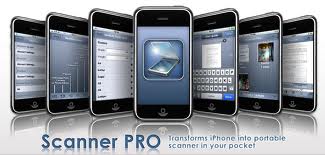
For the first time ever, I scanned all the paper work I usually take with me on a trip. I used the Scanner Pro app by Readdle on my iPhone. I am sure it is available on all smartphones. It is also available on the iPad.  I never used a scanner before. Not even the cutting edge, super-duper one in my office.

I leave today for Croatia. Before today, I would pack all my papers in the same carryon bag as my cosmetics. It didn’t matter how heavy it was, I had to take every last piece of paper. I didn’t want to leave home without all of my reference materials; just in case I needed to act on something while I was away.

This has been going on forever. I go nowhere without my lists. I always carry a spiral pad with me and take notes for both personal and business reminders. There is no way that I can take care of all the things I do without jotting things down. I speak to so many people in a hour, it would be impossible for me to remember all of the promises I make.

It is also impossible to take notes digitally. I just can’t type that fast. Pencil and paper are the most efficient, flexible and easy to deal with. I should know. I am in the service business and my job is to get things done. My lists have lists. Some days I look at my lists before I go to sleep and see 68 Things To Do. Multiply that by every work day and you can see why I am a busy all the time.

One could ask why I don’t just transcribe my daily notes into any of the fabulous apps that are available just for this purpose? That answer lies somewhere between why I haven’t taken off the weight I promised I would and why I haven’t read the three books I purchased on Amazon a few months ago.

Last night I got serious, because my daughter Whitney noticed my big bag of work I was packing up at the office before having dinner with her. “You are still carrying that thing? Look at me. I run an international business and all I carry is my iPhone, wallet, and keys.”

When I got home I started to scan. I couldn’t believe that I could do all these things on my iPhone.  Scanner Pro captures the image of the document with the iPhone camera and processes it to look like a scan from a flatbed scanner. The scan detects paper borders, crops unnecessary parts of the image, removes shadows and saves the result as a PDF file. Scans are stored locally on the iPhone and can be shared via email, uploaded to Dropbox or Evernote.

I have to go now. I just thought of two more things to scan.