Remembering Your Passwords

20130621-231427.jpg

If you work for a large corporation today, you are required to change the passwords on all of your business accounts once a month. When I first heard about that, I gasped. I have approximately 87 passwords. Changing each of them every four weeks would be a full time job. Thank goodness I own my business. I will take my chances.

Interestingly enough, David Pogue, the personal technology editor of The New York Times, recently made a plea to all of his readers to change their passwords in order to avoid having their identities stolen.

“This is not a suggestion,” said Pogue in a recent video he did on the subject. “This is an order. Don’t take chances. Life can be pretty ugly when others have access to your banking, housing, and insurance accounts.”

Experts recommends using long passwords that contain digits, punctuation, and unrecognizable words. He also said that we should use separate passwords for every website we frequently visit. And just like the demands of corporations, we should change all of our passwords once a month.

As far as I am concerned, this is an overwhelming task. Like me, David has 87 account names and passwords for 87 websites, including banks, games, airlines, blogs, shopping, email, Facebook, Twitter, Instagram, Skype, Pinterest, Google+, and YouTube.

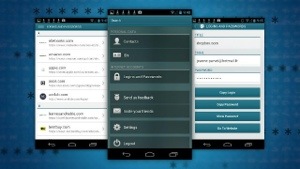
Even if I wrote all the passwords on one long piece of paper or stored them digitally in a folder, there is a great chance that I would forget where I put the paper or where I filed the folder. David has recommended many different software solutions to help retrieve your passwords. Today he swears by Dashlane, the 2.0 version, because it has timesaving features and it’s available for Mac, Windows, iPhone and Android. What’s more, it’s free.

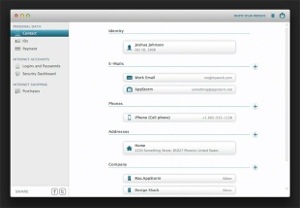
The big bonus is that you can import current existing passwords from previous programs. It also has some extraordinary features. It’s a password memorizer. Dashlane actually takes over every time you try to type your account name and password into a web page and press enter. It’s all done for you.

There are so many other magical features like the creation of passwords and a display of pictures of your credit cards.

To learn more about Dashlane, click here.
20130621-231442.jpg

20130621-231503.jpg

David Pogue’s Time Saving Text Tips

There are short cuts you can take that will save you time when you type. David Pogue, personal technology editor at The New York Times, outlines them for you in the video below. For example, if you put your flight in the Google search box, your airline will pop up, the flight, arrival, and departure time. Google takes you immediately to the flight data info. Awesome, huh? Or you can use the Google box as a dictionary. Just type in “Define” and the word you are interested in. The definition instantly appears.

Watch David below for other short cuts.

Pogue’s Flying Tricks

20130325-174758.jpg

David Pogue, personal technology editor at The New York Times, posted something wild on his Facebook page yesterday. His fiancée was flying from San Francisco to NYC to meet him while he was flying from Salt Lake City to JFK. They were both landing at the same time. During his flight, David checked the position of his fiancée’s airplane. Yikes, he discovered that he could practically toss a bag of peanuts at her.

I couldn’t figure how he managed to track both flights on the same map so I finally emailed him. This is what I got back.

“I used flightaware.com. I superimposed the two flights in Photoshop.”

Love conquers all.

There Is Not A Tech PR Woman Alive Who Wouldn’t Want To Be Married to David Pogue

David Pogue

David Pogue, the personal tech reporter for the New York Times, has something that no other man alive has, his column. He is also an author, TV host, public speaker and a Broadway song and dance man.

If you don’t know who David is, then I suggest you “Google” him. His personal tech column probably has more readership than any other source for digital news. That is true for both print and online. I am not saying there are no other powerful tech writers around. There certainly are. However, if David writes about a tech company, the PR person representing that client, has hit a home run, right out of the park. If David likes the product or service and recommends it to his readers, the PR person responsible for the placement, has achieved one of the greatest moments of his or her career.

David calls it “The Pogue Experience.” I had the pleasure of experiencing “The Pogue Experience” several times. One of the most memorable times was when he wrote about an iPhone app we represented at HWH PR, called “Line2.” “Line2” adds a second line on your smartphone so you can have two numbers, one for business, the other for personal. The day David wrote about “Line2,” 72,000 of his readers immediately download the app and brought down the “Line2” servers.  No one at “Line2” was prepared for such a heavy duty, positive reaction.

There are many other scenarios, but the one I want to tell you about today is David’s marriage proposal to a tech PR gal from Silicon Valley. He lives in Connecticut. The 3,000 mile romance has been written up before but not as much as the attention they are getting today. The video he created to be a part of the surprise for his girlfriend went viral. It is the talk of the romance and tech editorial pages all across the country.

Watch his marriage proposal video below.

Mazel Tov David

Check out other stories about David’s marriage proposal in Huffington Post, Gizmodo and Media Bistro. Just click on the bold type to access the stories.


DIGIDAME IS A TSA PRE-CHECK TRUSTED TRAVELER

I am writing this post from the American Airline’s D49 Gate at Miami International Airport. It is 6:41am. For the second time, my husband Eliot and I skipped the usual 45 minute security line because we belong to the Transportation Security Administration (TSA) Pre-Check Trusted Traveler Program. We no longer have to wait on endless security lines that usually adds panic to our forever trek from the check-in point to the New York bound gate at the end of the terminal. Ever notice that most flights headed to NY are relegated to the furthest gates?

The pre-check program is very important to us because we usually take an early morning flight out from Miami to NY. That means getting up at 4am to shower and do all of the morning rituals in less than an hour. We are out the door by 6 and at the airport by 6:30 for a 7:30 am flight. Not a minute to spare.

The TSA Pre-Check is one of the most wonderful results of the digital revolution. You are pre-screened once you opt-in online. No more removing shoes, laptops, toiletries and lighter outer clothing.  I feel like we are “Forward To The Past,” pre 9/11. There is a special security line for the Pre-Check passengers. You walk right through while everyone else is giving you dirty looks, especially the First Class passengers who are not happy about being upstaged and are clueless about this program.

We also belong to the Global Entry program. For $100 you can fill out a form online, then subordinate yourself to an in-person interview where you get finger printed and have your photo taken.  If you clear the screening, you receive an identity card and a sticker on your passport that allows you expedited clearance at customs when you enter the United States.

I was so nervous for my interview. I didn’t know what they were going to ask.  I rehearsed the “Pledge Of Allegiance” and “The Star Spangled Banner” many times the night before. I memorized the list of Presidents of the United States and who was serving in the current administration. The interview was nothing like that at all. They asked some basic questions and I signed a few documents. I did get extremely nervous when the electronic scanner could not capture my fingerprints. I had to try about 10 times, which required me washing my fingers with hand wipes, powder, and tissues. It was so embarrassing and brought up old childhood memories of me thinking I was really from another planet.  Then another police officer came to my rescue when he discovered that my name was spelled wrong on the application which had stopped the process. Whew, maybe I am human.

David Pogue

I could go on and on about the virtues of both programs, but the digital genius of The New York Times,  David Pogue, did a blog post about this last week.  You should give it a read.  http://pogue.blogs.nytimes.com/2012/04/27/zipping-through-airport-security/

No one explains it better than Pogue.