One Day This Guy Is Going To Buy The Jets

Some of you know who Gary Vaynerchuk is. If you don’t, let me help your pronounce his last name, Vay*Ner*Chuk. Gary is the ambassador from the digital community who explains to the rest of us how the world is changing because of social media. I urge you all to watch this video so you are prepared for changes that are about to take place. His clients are Oprah, the NFL, and Coca Cola.

Gary starts off by telling his own remarkable story and the choices he made. He then discusses specific cases in social media that should change the way we think and react. Warning: the video is filled with the F word. He usually doesn’t swear so much but maybe he is going through one of these “let me test the waters” stages.

Turn a deaf ear to the curse words and really listen to what he has to say. He will explain why we are living in such a dramatic time yet many people don’t know what to do with it. Don’t be one of those people. Absorb his words. If you fully appreciate what he has to say, you will probably pass this video on to someone else who is in business today or to those who can’t figure out why their kids are not calling them back.

Gary started with nothing not too long ago and his goal is to buy the Jets. There is not a doubt in my mind that he will accomplish his goal. Tell me what you think.

You’ve Heard Of The Electric Car? Now There Is An Electric Boat

Can you imagine water skiing on a lake where powerboats were previously prohibited?

Coming to you soon.

Kara Swisher, one of the most important tech writers in the business and co-founder of AllThingsDigital at the Wall Street Journal, revealed an electric boat for the mass market earlier this week. Click here to see Kara’s story.

They said it could never be done but long time tech entrepreneur. Andy Rebele, of Pure Watercraft, did it. Click here to see his story.

The boat is so quiet no one will hear a thing, except the birds and the bees.

Rebele’s last start-up was CityAuction, which he sold to IAC/InterActiveCorp for $54 million.

I guess he is ready for his next big wave.

The “Highlight” Of My Day

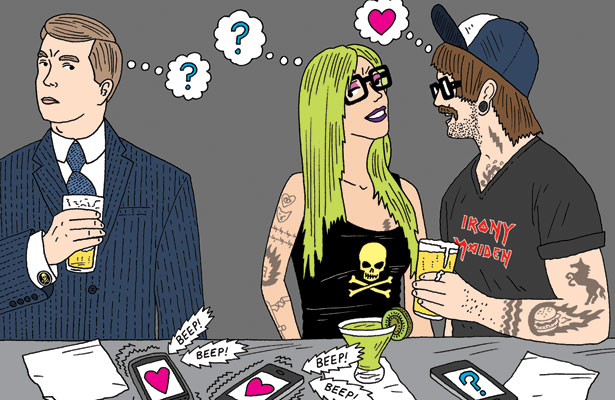
I was having dinner the other night at ABC Kitchen in New York City, when all of a sudden I received an alert from an application on my iPhone called “Highlight.” “Highlight” is an app that alerts you when someone you know is nearby. I have been using it for over a year and I get beeped all day long in my office if contacts of mine are somewhere within a few square blocks. Most of the time, I quickly glance at my iPhone screen just to see who is in the vicinity and then go right back to work.

Not this time. I received a notice that a long lost friend was sitting somewhere near me. I haven’t seen this guy since I was 18 (you figure out the math). Two years ago we met up on Facebook. I was looking for him for years because at one time we were very close. There was a group of us that used to go dancing twice a week. He was one of them. He dated a few of my friends but we were the ones who stayed in touch for a few years. There were nights that we would talk on the phone for an hour or two when we supposed to be doing homework. Our lives went in different directions and that was the end of that.

When I found him on Facebook I was so excited. I sent him a message and heard nothing back. I did that a few times and I finally got a message back saying that my name sounded familiar but he couldn’t place me. He asked me to tell him more. The more I told him the fuzzier he became. I was shocked and rather upset that someone I was so curious about didn’t even remember me. I couldn’t believe that someone who came to my “Sweet 16” (the night JFK was killed) and who I saw on a frequent basis for over two years, had no recollection of who I was.

He now lives in Los Angeles. Once or twice a year he sends me a message that he is going to be in New York and we should get together. I ignore his messages because I don’t want to meet a stranger and continue to play 20 questions. I have this character on my email list, Facebook friends, Linkedin contacts and yes, “Highlight” pals. By now you must have guessed that when I received my “Highlight” alert the other night, it was to tell me that that he was just a few feet away.

I didn’t say anything to anyone at my table, but quickly looked around. It took me five seconds to spot him. He was still attractive for a man in his 60s but he did age. I got to stare at him for an hour. I have no idea why he didn’t receive an alert that I was there too, but remember this is a guy who had no clue who I was. Then I did the unthinkable. I don’t know how I had the nerve. I went over to his table to ask him if he had the time. He and his male friend promptly said “10PM.” He asked me if I knew how late the restaurant stayed opened and I said “I didn’t know.”

I don’t want to tell you his name because there is a good chance he reads my blog. If I hear from him I will let you know. For those of you who are interested in expanding your radar screen, download the app called “Highlight.” It is so easy to use. If someone near you also has “Highlight,” his or her profile will show up on your phone. You can see their name, photos of them, mutual friends, and anything else they have chosen to share. When you meet someone, “Highlight” helps you see what you have in common. And when you forget that person’s name at a party a week later, “Highlight” can help you remember it.

A Do-It-Yourself Digital Funeral


I grew up believing that you judged a person’s life by the size of his or her funeral. I remember when I was 13, there were over 25 cars in the procession at my grandfather Jake’s funeral. When we were sitting Shiva someone said, “That was a really good funeral. A lot of people showed up.” I felt so proud. Over the years I have been to small and large funerals. I snickered at the small ones thinking. “The guy was no good.” I also remember counting the ‘get well” cards in the hospital room when my mother was sick. We would make a list of the do-gooders. Those who did not send one were carefully recorded as “shitheads” and were no longer considered part of the inner circle.

That was 44 years ago. A lot has changed since then. When my mother was 58 and my father died, she started to realize that her favorite and most important sport, “people collecting” was not all that important. The same woman who was the centerpiece of my old neighborhood, now only wanted to be with her closest girlfriends. That threw me for a loop because I was a second generation “people collector.” Sometime after that, I started to feel the same way as my mother. When she died (pieces of me died too) a tough skin formed around me as my brother and I opted for a grave side ceremony for a limited group. I felt I had grown up and didn’t need a lot of people getting in my way when all I wanted to do was think about the loss of my mother.

That was my attitude for the last seven years until today. We attended a funeral for my friend’s father. It was at Riverside Chapel on the upper west side and there had to be over 1000 people in attendance. It was in the main Chapel and no less than a dozen people got up to speak. The running time was over an hour. The accolades were plenty. Judging by the speeches of his four adult children, their spouses, the nine grandchildren, his law buddies and community leaders, my friend’s father deserved a standing ovation. They said everything he did was surrounded by a meal. When he was diagnosed with pancreatic cancer six months ago, he said he was in the mood for “Chinese.”

I panicked sitting in the Chapel. Maybe I wanted a big crowd so others could see I wasn’t really a “bitch.” Reality set in very quick. I am a “bitch.” I worked hard at being a “bitch.” The years of dealing in the fast lane trains you to be a “bitch” or get “bitched” at. I am not saying that there is not a soft, giving side to me, but day- to-day I err on the side of bitchiness.

The big question is how am I going to be a draw when I am dead? I thought a lot about it today, then moved on to something else when I got back to the office. About an hour ago I was on Twitter when I spotted a tweet from my girlfriend last Friday announcing her father’s death. It was less than 140 characters and it simply announced his death and the funeral arrangements. I then saw the same post on Facebook and Linkedin. My girlfriend is well known in the digital community and one post from her was instantly recognized by hundreds, if not thousands of people. I am not going to ask her, but she probably did a few email blasts, text messaging and other social media call outs.

When I thought about it, I had received my notification by email. There is no question that my friend’s father deserved the attendance of every single person in that room. But for us late bloomers who are not so revered, we can put together a social media/marketing plan that can really pull in those numbers. I have to get more followers on Twitter, more fans on Facebook and more connections on Linkedin. Maybe, I can go after friends of friends and relatives of relatives. I can also join meetups, online book clubs, and take senior courses online. That could easily add another 100 or so. As you can see, I have a lot of work to do. If that is not a good reason to live a lot longer, tell me what is?

Fire Sail

Today was all about going back 81 years to appreciate the safety advantages we have today thanks to digital technology. Cousins Elle and Milo invited us to cruise the Hudson River on a 1931 Fireboat called the John J. Harvey. The Fireboat has saved thousands of lives and is listed on the National Register of Historic Places.

We cruised around Brooklyn and Staten Island and then up the Hudson River. Two major surprises: the Captain opened the water cannons to demo the power of the spray and the boat stopped to allow the passengers to swim in front of downtown Manhattan. Both experiences were definitely awesome.

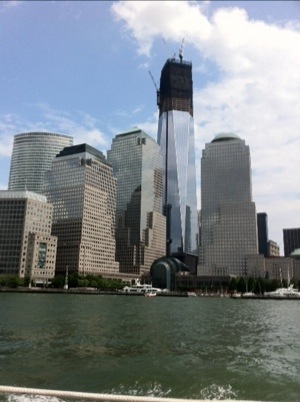
It was also a very emotional time when we passed the new new towers on the site of the World Trade Center. Between 9/11 and the battles the John J. Harvey fought, I decided it was a good time to introduce you to a variety of free and low-cost smartphone apps that will keep you safe and secure. I wonder how many people would be alive today if they knew all about the safety apps tech writer, Kim Komando, talked about in a recent USA today article.

Red Panic Button ($3; iOS, Android). An alert is sent to your list of preset emergency contacts via email, text message and Twitter. Included in the alerts are your exact GPS location and a Google Maps link.

Disaster Alert (Free; iOS, Android). A list of all the active hazards around the world, including hurricanes, floods, tsunamis, volcanoes and man-made disasters.

iMapWeather Radio ($10; iOS). The National Oceanic and Atmospheric Administration (NOAA) provides radio weather alerts for areas in the paths of hurricanes, tornadoes and other powerful storms.

Disaster Readiness ($2; iOS; $1.50; Android). A downloadable emergency preparedness guide. It contains more than 175,000 reference guides on how to respond to any disaster including wildfires, flash floods and terrorist attacks.

iTriage (Free; iOS, Android). Two emergency room doctors developed iTriage. You can search medical symptoms and learn about potential causes. It will also tell you the nearest medical facilities and provide turn-by-turn directions and ER wait times.
iTriage includes emergency hotlines for instant advice from nurses and doctors.

GotoAID ($5; iOS). Guides you through medical emergencies and disasters. This app also stores emergency numbers and helps locate relief centers. GotoAID also has a Morse Code generator and an Emergency Pulse beacon.

20120805-210946.jpg

20120805-211007.jpg

20120805-211023.jpg

20120805-211046.jpg

20120805-211109.jpg

20120805-211124.jpg

I’m Curious, Martha

No one can ever accuse me of being a Martha Stewart groupie. I don’t cook, clean, bake, garden, or create floral boutiques out of cauliflower.

I do, however, think of Martha often because of a short but impactful conversation I had with her on the way to the Consumer Electronics Show many years ago. I spotted her at JFK airport walking alone down an aisle pulling her wheelie.

I asked her why she was traveling without an entourage. She was surprised by my question. “I am just a ‘working girl’ going to CES to seek out the latest in innovation.” In just the few minutes we spoke, Martha admitted to me she was driven by her “curious” mind.

I instantly became very jealous of her. She was “curious” and was doing something about it. How many of us get “curious” about a topic and never do anything?

Now some 20 years later, Martha is still as “curious” as ever. She is in her late 60s but seems ageless as she keeps reinventing herself over and over. She showed up this weekend to give a keynote speech at Blogher, a 5,000 mom, garden and food blogger conference in New York City.

A friend of mine, Andrea Smith, a lifestyle writer for Mashable, a tech blog, interviewed Martha about her life in social media. I am going to share it with you so click here.

“I love Twitter,” Martha told the crowd. “It just made sense to me.”

In addition to being a whiz on Twitter, Martha Stewart has amassed a huge following on Pinterest, with more than 80,000 followers. Andrea asked her, “So how does the master of all things domestic also master the digital?” Please watch the video to find out.

What A Week I Had—Actually Three

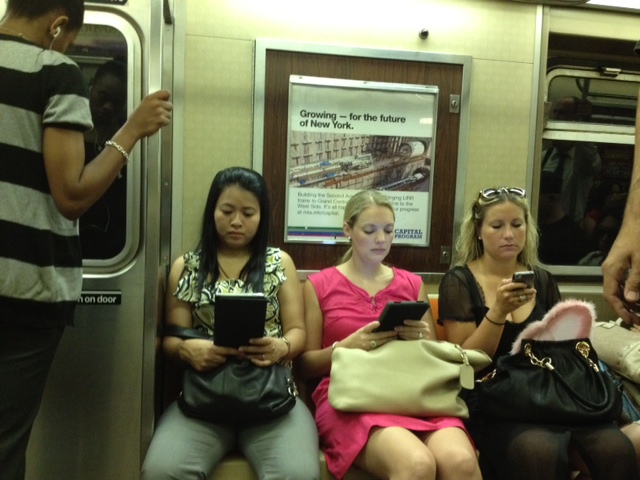
I go to work on the subway with gals that are 40 years younger than me. Ouch !!!

I can’t believe I made it. I really made it! Does that tune sound familiar? It is playing over and over in my head at this very moment.

It is 4:25PM on a Friday afternoon. I am probably the only woman my age who is working so late on a summer afternoon. I have been inundated with work because one of our account executives resigned three weeks ago to go to LVMH. She handled Helen of Troy, which was like having seven accounts in one because they make hair appliances, wellness and grooming products under the Revlon, Bed Head, Curlipops, Groupies, Pro Beauty Tools, Laila Ali, Bango, Body Innovations, Beauty Chic, Vidal Sassoon, and Hot Tools brands. Even though the account executive left organized files on every brand, I still had to meet and greet with all the new brand managers, set new goals and follow up on old ones, get closer to the press to understand their editorial needs, write activity reports, do checks and balances on press releases with their corresponding photos, study sell sheets, familiarize myself with the product and personally go in to the closets at my office to check on inventory for the media. My office also gets about six inquiries a day from the beauty magazines to send them product and then we have to update retailer distribution and pricing on-the-spot. Those transactions take a few hours a piece because we have to reach the client, confirm information, and then get back to the press person. The press person usually has a few more questions so we go back and forth a few times.

Meanwhile I am overseeing many other accounts, going after new business, consulting with business friends who got fired, hired and fired again, ghost posting on Facebook and Twitter and Pinterest for 11 accounts, writing or editing blogs for others and finally writing and posting Digidame. Thank goodness for Eliot who handles all of the financials, vendors, support staff, office supplies, office duties and urgent matters that he understands better than all of us. For example, we are installing an automatic buzzer in the front door of our office ASAP because three undesirables walked in on me and an intern earlier this week asking for money. There was a small confrontation but they left peacefully with some of our green in their pockets.

On top of all this we had several emergency business meetings with a start up in the restaurant business that needed our counsel. They took up about four hours of my time only to flake out when I told them I wanted a sizeable check upfront. Make note: never work for anyone new without compensation first. It only took me 35 years to learn that. Newbie’s love to pretend they are flush with dough until you ask for proof.

Why am I telling you all this? First and foremost, I just wanted to vent a bit. Secondly, I couldn’t have done all this work without the technology I use every day for copy and pasting, editing, correspondence, chart creation, online file sharing, scanning, templates, business software programs, resource applications, web contacts and content.

Even though I did have the help of some very dedicated staffers who typed, formatted, fact checked and proofed, I still had to scratch and surface all of the intelligence myself. What did we do before computers? I actually know the answer to that. We had a lot more free time because we didn’t have to meet instantaneous deadlines and response demands. I still prefer it this way!

StumbleUpon This

If you love the TED website and app because it introduces you to the “great thinkers” and “doers” around the world, then you are going to love StumbleUpon.

StumbleUpon is a very popular website and app that introduces you to great sites, videos and photos on the web. All you have to do is check off areas of interest and StumbleUpon will offer you amazing reading material you never would have found on your own. I don’t care how many times you “Googled” a particular topic, StumbleUpon digs deeper and more precisely.

I heard about this site years ago and never got around to trying it out. My girl friend, Julie Lesser, told me months ago that I was nuts because I wasn’t using StumbleUpon to scour the net for the most interesting information to impart for social media purposes. It was just one of those things that I never got around to doing, much like the stack of books that are waiting for me to read on my iPad.

I just started using StumbleUpon and I have become an addict.

You can access StumbleUpon on your computer or smartphone.

Look at the stories I found today.

FDA Approves Edible Digital Pills That Keep Track of Your Health | PCWorld

Lego Motorized Wheelchair Doubles as the Nerdiest Throne Ever | PCWorld

How To Develop A Photographic Memory

A Very Simple Explanation Of QR Codes–You Are Seeing Them Everywhere

QR Code In Ralph Lauren Ad

QR Codes On The Street

QR Code

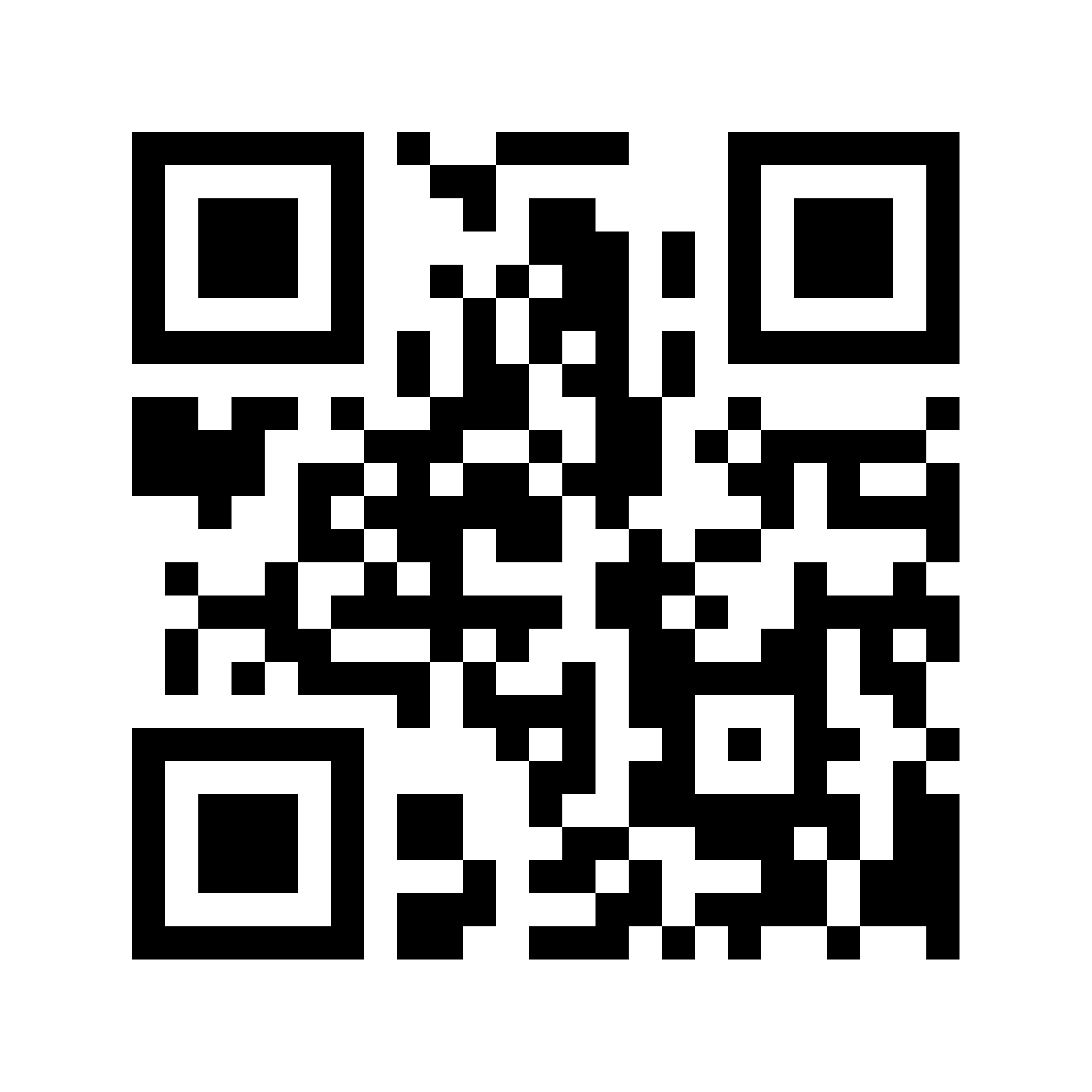
QR codes are all over the place. Some people think they are Rorschach tests. Rorschach is a test to examine a person’s personality. A QR code is digital source for information. It is usually found in newspaper advertisements, magazines, promotional material, window storefronts, hangtags, TV advertisements, billboards, directories, postcards, and yes business cards. It helps you access information easily and instantly on-the-go. It stands for Quick Response and looks like a square-shaped, black bar code on a white background.

While they have been around a few years, the use of QR codes is just starting to gain in popularity. They are all over Europe and Asia. Most store front windows overseas prominently display its QR code larger than the name of the business establishment. The same thing is going to happen in the United States so take a few minutes to learn about them now.

All you have to do is use a dedicated QR app on your smart phone to scan a QR code. It’ll magically take you to a website, or promotional page, where you will get a plethora of information. You don’t have to write down a thing. Don’t miss out on this opportunity, many QR codes offer major promotional discounts. The next time you enter your favorite restaurant, the person sitting next to you may be getting 20 per cent off the same meal, because he or she scanned the QR code on the front window and showed it to the server. No paper, no explanations, no excuses.

When you go to the app store on your smart phone, pick a QR reader that has the highest rating. I selected “QR Reader for iPhone” because many of my friends use that one. Trade magazines also heavily recommend “RedLaser Barcode.” They are both free and you need them because they auto detect (scan) bar codes. They also make it very simple to point and shoot. The apps help you send the info to email addresses, Facebook, Twitter, FourSquare, and Flickr. They also store a history of what you scanned for future reference and they’ll help you create your own QR codes.

In order to give you examples of how the QR codes work, I enlisted three interns at HWH to explain recent experiences. Here is what Kaitlyn Keenan, Fairfield University; Rachel Lederman, Villanova; and Jason Feldman, Boston University had to say:

“Most of the QR Codes we found in the store windows in the Flatiron District of Manhattan, led us to a website of a particular product or the company. For example, Bellmarc Real-Estate had a QR Code that said “Snap this tag to view our Open Houses.” Once we scanned it, the app directed us to sales and rentals. The lists provided a picture, the address, price, show time, and details of the apartments. All we had to do is contact the agency and let them know which apartment/s we were interested in. Simple as that!

“We also scanned an American Express advertisement in a retail store window. It allowed us to see which stores in the area take the credit card. That was amazing, because many do not. Next we visited the Flatiron building which had an art display sponsored by Sprint. We scanned one of the bar codes and found a Sprint.com-Flatiron Art Website which showed pictures and descriptions of the artists and art work. All of the scans we took are now stored on the app we used. We can go back and refer to it at any time. This is just another way to eliminate paper.”

Remember the days when you used to DQ? Now you are too health conscious for that. Try a QR instead.

Cell Phone Madness

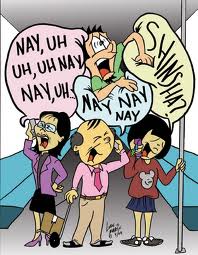
I had another topic that I was going to write about today, but I am going to skip that to talk about cell phone etiquette. I just came up in the elevator in my office building and had to listen to a gal in her 20s who was was projecting her voice into her cell phone like she was auditioning for a Broadway show. Not only that, but the topic was so intimate I was shocked she would discuss it in public. The young woman was talking to her mother about some female infection she had.

Quite frankly, I felt she had invaded my privacy. Elevator rides should be a “quiet zone” or at least a “whisper zone.” We are all in close quarters and do not need someone else screaming in our ears. I truly feel I am turning into Andy Rooney, cranky and intolerant. I know it is my age.

So while I was on this rage rant, I called up a few friends in the tech business and did some research on Mashable, the tech blog, to see if anyone else feels the way I do about “cell phone” madness. These are my results. The first few come from Mashable and the balance are from the business friends I contacted.

1. Avoid Sensitive Topics in Public
The person next to you at the airport really doesn’t want to hear about the ups-and-downs of your dating life, and revealing the details of that big business deal in the works could get you fired if it’s overheard by the wrong person. Either walk to a secluded location or let your caller know you’ll call back when it’s possible to talk in private.

2. You Don’t Have to Google Everything
Don’t be the person who whips out his or her phone to settle an argument by looking up a disputed fact on Google. While it’s nice to finally be able to settle barstool debates in real time, avoid the urge to look everything up on your phone.

3. Stop Pulling Out Your Phone at Social Events
Avoid making calls at the gym, or, better yet, leave your phone in your locker. The same goes for social gatherings, including the dinner table. Put your phone on silent and put it away for the duration of the meal. A note to my relatives and friends from Digidame: Even though I place my mobile phone on the table at a restaurant when dining with you, it doesn’t mean that you can accuse me of being rude. My business is all about constant editorial deadlines, so I quickly check my email twice during dinner to see if I have to answer some member of the press. I try to do this discretely. I would say that I rarely get urgent after-hours emails or calls, but it does happen. My job is to monitor urgent matters or deals that have to get done. I wish I could say the same thing for friends of mine who are constantly checking their emails for social reasons on my time.

4. Don’t Leave a Voicemail
This is a Mashable notation. News to me too! These days, no one likes receiving voicemails. The next time you can’t reach someone by phone, try the Gentleman’s Maneuver: Hang up before the beep and send a text instead. Chances are you’ll get a response more quickly.

5. No More Talking on the Toilet
Don’t take your phone into the bathroom. A recent survey of 1,000 iPhone users revealed that nearly 85% have used their phone while in the bathroom. Not only is this unsanitary and risky for your device, but it’s also off-putting to callers to hear a telltale echo or a sudden rush of water.

6. Stop Posting Pictures On Facebook While Power Walking With Friends
A friend of mine said she gets so frustrated when she gets into a power zone only to get interrupted by a friend who just happened to see something he has to take a picture of. Not only does he stop to take the photo, but then he immediately posts it on Facebook. This action ruins the entire purpose of power walking with friends. I can think of friends who do that constantly when in a group just strolling along. Several of us have to stop and wait for the person who is a block behind us.

7. Do Not Talk To Friends While In The Company Of Other Friends
This complaint comes from a Chicago buddy who says that every time one of his pals picks him up in his car so they can ride together, he is usually engaged in a conversation. He has to sit there quietly alone until that person gets off the phone. He said he wanted to take his own car in the first place, but the friend insisted they ride together. What was the point?

8.Do Not Walk Away From Your Cell Phone
This pet peeve was told to me this morning by one of my clients. He hates when people visit his office or country home and they leave their cell phone on his desk or kitchen table when they go to the bathroom, go outside, or go talk to someone else in the vicinity. He finds himself constantly being interrupted by the other person’s phone ringing no less than eight times before voice mail goes into action. He feels like it is such an intrusion on his privacy.

If you have any other pointers be sure to leave them in the comment section. We are all in this together and none of us are innocent.