The Tech Industry Is Getting A Murder Mystery

David Carnoy

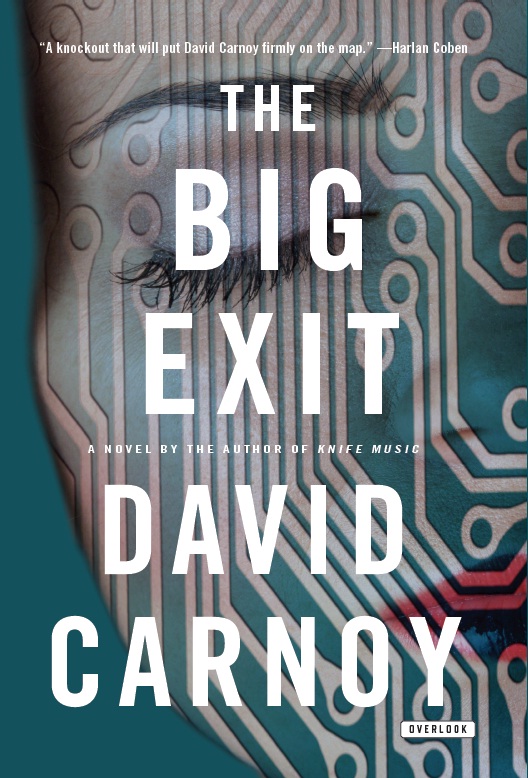
Scoop! You are reading about this long before anyone in the tech industry finds out that one of their own is about to debut a Silicon Valley murder mystery that almost sounds all too real. That’s what makes it so perfect. David Carnoy, Executive Editor at CBS Interactive (he oversees reviews of home entertainment products at CNET), is less than a month away from telling the rest of the world that his next crime novel takes place in Menlo Park, CA, headquarters of Facebook. While there is no connection to Facebook, “The Big Exit” does involve a start-up with many twists and turns that make you feel like you are a member of this innovative and creative industry.

Carnoy admits that he was drawn to the tech industry for his second thriller because of his day job. “I just couldn’t ignore it. I grew up in Menlo Park and I write about tech every day of the week. It was just a natural.” One of the reasons I wanted to write about Carnoy’s second novel, is because his journey to become a successful author is one that teaches all of us about the powers of the Internet.

Carnoy’s first novel, “Knife Music” (about the medical field), was a self published e-book generating about $500.00 a month when an agent spotted the sales activity. He pitched the digital book to The Overlook Press who was impressed that an unknown, first time author was creating such a buzz. The tech writer admitted that unbeknownst to Steve Jobs, Apple helped create the PR attention he needed to get the word out. In addition to selling it online through Amazon’s Booksurge, which is now Createspace, and in print, Carnoy tried to offer the book as an app. It got rejected by Apple because the mystery contained curse words. When the media heard about the rejection, a number of reporters wrote stories about Apple’s publishing criteria, which was hot news back in 2009. The book finally made it into the app store after Carnoy removed the profanity.

That helped spread the word. There is an important lesson to learn here. It doesn’t matter if you self-publish online or get picked up by a traditional publisher, you have to have a hook in order to sell books.

Currently, “Knife Music” has sold 50,000 e-book copies and 5,000 hard copies. Carnoy also believes that more and more agents are scouting online, self-published bookshelves, for the next best sellers. He encourages all to take those manuscripts out of the closets, brush them off and convert them to self-published books.

The next installment of my report on Carnoy talks about the discipline needed to be a first time online novelist.

Be Your Own Doctor

I can never remember the name Micardis, one of the meds I take for high blood pressure . Why does that one escape me? I remember all the others, but the name Micardis doesn’t quite gel in my brain. Many times when I have to fill out a form, I always forget to list it.

I am told that is extremely dangerous, because certain meds don’t mix well with others. I could get an allergic reaction or it could even be deadly. I tried carrying around a piece of paper or even filing the names on my iPhone. I can’t remember where I put it or filed it months later. I find myself panicking while looking for the info when visiting a new doctor.

Now there is an app in your smartphone that becomes your own personal medical library. It not only records all the meds you take, but let’s you know the potentially harmful reactions between up to 30 drugs at a time including brand, generic and OTC (over-the-counter drugs).

The app is called Epocrates and it is the same exact reference material most doctors use. Now you have it at your finger tips. Epocrates also helps you review prescriptions and safety information for thousands of brand, generic and OTC drugs.

The two other features I like, and will be using more of, are ordering free drug samples and literature, and identifying a pill based on characteristics, color, shape or imprint code.

Pills always drop to the bottom of my handbag and I can’t remember if they are my antacids or my birth controls. If you are still reading this and laughing yourself silly, let me know.

The Insanity Of The iPhone 5

First person in line for the iPhone 5 talking to a neighborhood diva

I think everyone has lost their marbles. Eliot and I went to the Apple store on 59th Street and Fifth Avenue last night to see how many people were in line for the iPhone 5 that was set to go on sale this morning at 8am. We were walking home from Broadway where we saw the play “Grace” starring Paul Rudd, Michael Shannon and Ed Asner. Excellent, go see it. The story unfolds backwards. Anyway, we had the opportunity to witness all of the commotion first hand.

At first we thought no one showed up. There were rows of barricades that looked empty. Not so. When we got closer we saw that everyone was lying down on the floor with their pillows, blankets, folding chairs, knapsacks, and of course, electronic paraphernalia. Everyone was under 40. No one over 50 would ever be insane enough to camp out for nine days to buy a piece of tech equipment. I know a few women who would stand in line that long if Hermes was discounting some of their handbags, but that’s about it.

Apple had the entire glass cube draped in black you couldn’t see inside. I can really understand why many Apple customers enjoyed the wait because it like a Woodstock happening. They get to tell everyone from now on that they were the first of a few hundred to buy the iPhone 5 and recount all of the experiences they had, and who they met. The entire concourse of the Apple store was crowded with print and broadcast press. Everyone who was camped out got interviewed at one point.

When we arrived, a bunch of ladies who lunch were talking to the first few guys on line. I thought that was a bit peculiar but I guess they were as curious as we were. Both 59th Street and Fifth Avenue had FOX, NBC, CBS and ABC satellite TV trucks lined up ready to do interviews for the 11PM news and then again when the doors opened at 8am. I overheard one of the women asking the first few in line what they were going to do with the iPhone 5’s once they got them and the best answer they had was, “show it off to others.”

I took a video of the scene but it was very dark, so you are going to have to focus to see what was going on. I have to admit the backdrop of the lights from the Plaza Hotel and Bergdorf Goodman did provide for an exciting and energized ambiance. I hope the iPhone 5 was worth the wait.

Don’t Forget To Upgrade Your iPhone To iOS 6

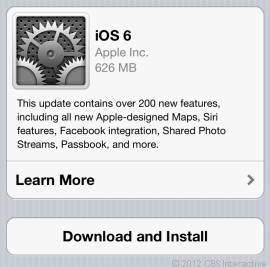
Don’t cry if you can’t buy the iPhone 5 yet. You can get many of the features if you just download the new iOS 6 software.

You must have an iPhone 3GS, 4 or 4S. iOS 6 is pre-installed in the iPhone 5. Warning: Siri does not work on the 3GS but you will get many of the other iOS 6 features.

iOS 6 features are also available to users of the iPad 2, New iPad and the 4th and 5th generation iPod Touch.

The Wall Street Journal ran a detailed story on the upgrades you get on your current Apple device if you download the iOS 6 software.

I have included the link to the story. I also copied and pasted the story for those of you who do not subscribe to the online version of the WSJ. You have to pay to read the digital version.

To download the iOS 6 on your device, click on Settings, General, Software Update. You should download the update when you are connected to Wi-Fi and have a full charge on your device, since it is a large download and will take some time to download and install.

Not Ready for iPhone 5? Upgrade Has Tricks
http://online.wsj.com/article/SB10000872396390444450004578004330637758200.html

The good news for plenty of current iPhone, iPad and iPod touch users pondering buying the new iPhone 5 is that they’ll get many of the 200 new features in Apple’s free update for mobile software, iOS 6, available on Wednesday. I’ve compiled a handful of the most significant features you’ll get with the iOS software update, which I tested on the iPhone 5 and the newest iPad. Some older devices won’t be able to use all of these features and one feature will work only on the iPhone 5: taking a still photo while recording a video. Here are some highlights of the new features. There are many more features too numerous to mention.

Do Not Disturb

Finally, the iPhone can let its owners sleep at night—with options. Until now, the iPhone’s silencing switch turned off all sounds with no alternatives. This meant that people who wanted to turn off alert sounds for Facebook notifications and incoming emails while they slept had to give up receiving phone calls in the middle of the night from, say, a relative having an emergency. The Do Not Disturb feature (turned on in Settings and adjusted in Settings, Notifications) turns off all sounds but can make exceptions. If you want to be notified whenever one of your favorite contacts calls you, the phone will ring. Another optional feature of Do Not Disturb lets calls ring through if a person calls twice in a row within three minutes. Do Not Disturb can be set to work on a daily schedule, like from 11 p.m. to 7 a.m., so you don’t have to remember to turn it on. People who are trying to maintain separate work and personal lives may even set this to work after they leave the office, only allowing calls from certain groups (like family and close friends) to ring between 6 p.m. and 8 a.m. If your phone’s silent switch is on, the phone won’t make noise no matter how Do Not Disturb is set.

Panorama

In iOS 6, Apple (as it often does) took a feature that’s already available in many smartphones and made it a lot simpler to use: capturing panoramic photos. In Camera, select Options at the top center of the screen and choose Panorama. A small on-screen diagram will appear to guide you as you click the shutter button once and pan the phone from left to right, following an on-screen arrow along a center line. Panorama works on the iPhone 4S and 5, as well as the newest iPod touch.

Better Sharing

IOS 6 has improved sharing in two significant ways: It’s now integrated with Facebook and enables sharing directly from the places where people think about sharing. You can share to Facebook using various tools such as the Notification Center screen (pull this down from the top of the screen and select Tap to Post in Facebook); using Siri (tap and hold the Home button before saying, “Post to Facebook”); or by clicking a share button (a square with an arrow) on nearly any screen—including photos.

Until now, iOS forced people to open Facebook, select Photo in the app and then choose an image to share. Now, people can tap the share button while looking at a specific photo and send that photo out to Facebook. Likewise, you can now add photos or videos to emails as you’re composing them—not by starting with photos. This is something people naturally do on their desktops as they add photos or videos to emails. Do this by tapping anywhere on the screen in the body of the email to see the Select, Select All, Paste options appear. Then tap on the right arrow and select Insert Photo or Video.

App Store

While Apple’s App Store now holds 700,000 apps, the revamped App Store app for iOS doesn’t look overcrowded thanks to a more organized layout. Search results appear in card format, one per screen. By swiping one app to the left, another appears. Developer information, reviews from other users and screen shots of the app appear in a helpful, methodical format. While the old App Store forced people to scroll down a lot, this App Store makes better use of the horizontal plane. It does a better job of displaying Genius, a feature that suggests apps you might like according to those you’ve purchased.

Maps

Apple is now shipping its own Maps app, replacing Google’s Maps app on devices receiving the update. This app takes some getting used to, and its maps appear a bit more zoomed in, overall. But its turn-by-turn directions (available on the iPhone 4S, iPhone 5, iPad 2 or later) will be a big help for people who want a hands-free option for driving: Just plug in your destination address, pick a route and tap start to hear navigation instructions announced out loud as you drive. The text of the directions still appears on the device’s lock screen, in case you put it down and it locks and you need to quickly glance at the next step.

Siri

Apple’s voice assistant, Siri, has been updated to do more and now works on the latest-model iPad and iPod touch as well as the iPhone 4S and 5. Siri can now open apps and do more with them; I composed a Facebook message and never touched any keys. But it still has its inaccuracies: In a quiet office, I said, “Launch Google Plus,” which Siri interpreted as “Lunch Google Plus,” and then said, “I found 15 lunch restaurants, 11 are fairly close to you.” This is a failed experience that happens all too often.

Freedom from Wi-Fi

Now, the FaceTime video chats you make on iOS can be conducted over cellular, not just WiFi. This works on the iPhone 4S and 5, as well as the newest iPad, so long as it has cellular data capability.

Celebrating Stuart Applebaum’s 40 Years In Publishing

Stuart Applebaum

My high school friend, Stuart Applebaum, is celebrating his 40th Anniversary working for Random House Bertelsmann, where he is currently Executive Vice President, Communications. He has held that title for many years. Stuart is one of the most prominent spokespeople in the publishing business. While he has gone from promoting hard cover, printed books to eBooks, Stuart believes that the core essential skills necessary for being a book publicist haven’t changed all that much since he started. He explained, “Yes, there presently are a lot fewer newspapers, magazines, and local talk shows than there are Facebook pages, YouTube uploads, Twitter Feeds, and blog posts for us to work with. Now, we’re into search and discovery. The basic challenges however, remain the same — to motivate the consumer to buy our book, not the competitor’s and to craft and deliver our most compelling messages and persuasions to convince everyone of our point of view.”

Stuart was always pragmatic. I first met him when he was the editor of the sports page for Jamaica High School’s newspaper called “The Hilltopper.” I was a columnist covering girl’s sports. He had to edit my copy, poor thing. After we graduated, I am sure I wasn’t on his radar screen, but he was on mine. When I saw him quoted in the New York Times the first few times, I think I stared at his name for hours. I couldn’t believe that I knew someone of that stature. I finally got the nerve to call him and he was as gracious as gracious could be. He probably had no idea who I was, but invited me to lunch in the Random House executive dining room. We continued to meet for lunch a few times a year for over two decades.

We gossiped at each lunch about my clients. He loved hearing about some of the corporate suits with big egos or the entrepreneurs with even bigger ones. When I complained that I couldn’t get ink for a client, his suggestion was that I fire the company. He said, “You have to know when to say goodbye and move on to a better opportunity.” I freaked. Give up a client? Say no to a check? That just wasn’t in my realm of thinking. Many years later, I know just what he meant and have taken his advice more than once.

One year we got lucky because of the connection to Stuart and got to work for a new division that was being created to explore “New Media” in the world of printed books. Our assignment was to help identify content that would be suitable for digital distribution. No one at the time thought that one day we would be carrying around one single gadget that housed hundreds of books in it. Years ago when I visited Random House, I would go back to my office with bags of books. Today I get recommendations to download.

Time marches on, but Stuart has pretty much remained the same. He is married to his job. No wife, no kids, no vacations. You can catch him every morning on the streets of Manhattan walking from his apartment across the street from the 92nd St Y to his office on Broadway and 55th Street and back again after work. In a recent speech he gave to his cohorts celebrating his anniversary he said, “I never found anyone or anything as satisfying as my job. When I do, I will make this change. Till then you will find me at my desk.”

Stuart, don’t change a thing. You are a true gift to everyone who knows you well. Happy Anniversary!

Driving Ms. DigiDame

You may think that I wrote about this gadget before but I didn’t. I did write about how highway driving makes me very nervous so I wanted to buy a video camera to record reckless drivers. No one seems to be paying any attention to the roads anymore. I look at every car that passes. I carefully scrutinize the driver. Their minds seems to be preoccupied and no one is acutely aware of where they are and what they are doing.

I beg Eliot to watch out for all the other nuts on the I-95 or Long Island Expressway. Every time we are out for a drive, I see folks behind the steering wheel texting, yakking on their cells, putting on makeup or even polishing and/or clipping their nails. It makes me nuts that people can be so callous.

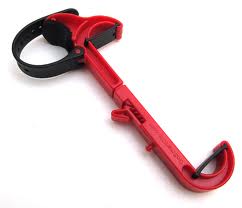
That is why I wanted to tell you about GoSmart Clip. It’s a snap-on tool. The GoSmart Clip securely holds and clips any smartphones to car steering wheels, or other places, so you can access information quickly and safely. I don’t particularly love any set of eyeballs that aren’t on the road, but the GoSmart Clip seems to be somewhat of a solution to the ever increasing problem of using GPS or making phone calls.

I have embedded a video so you can see how the GoSmart Clip works. It was designed to allow people to use their hands for other things besides holding their phones.

Other GoSmart Clip Uses:

•Hands-free conversations: Talk on your cell phone safely, hands-free.

•At the airport or train station: Secure it to a backpack, suitcase, or shoulder bag and work, send emails, texts, Skype, or watch a video while waiting.

•At the gym: Fasten it to a cardio machine and listen to music, read, or watch a video while working out.

•On a purse or bag: Attach it to the strap or handle of a purse or shoulder bag for easy access to your cell phone.

•On a shopping cart: Attach to the grocery store shopping cart to view shopping lists, text, or talk without having to hold a phone.

•At the beach: Strap to a beach umbrella for music at the beach.

•At the golf course: Attach to golf cart to keep score or view maps.

•On a boat or back seat of a car: Attach it to a boat steering wheel or the back of a car seat head rest to watch movies.

•On your belt: Attach to your belt to use as a phone stand to prop at an angle to easily view the screen.

•On a baby stroller: Attach it to a baby stroller to talk on the phone or soothe the child with music, a book or favorite video.

The GoSmart Clip is priced at $24.95 through Amazon.com.

A Gluten-Free Internet Journey

Sheryl Goldstein

I am on a mission.

I have just a few months to turn Sheryl Goldstein, a gluten-free cookbook author, into a well-known advisor to corporations who are now catering (no pun intended) to all those living with Celiac, or to those who just feel better by eating gluten-free foods. Celiac is a condition that damages the lining of the small intestine and prevents it from absorbing parts of food that are important for staying healthy. The damage is due to a reaction to eating gluten. Click on Celiac to learn more about it.

Sheryl was diagnosed with Celiac disease at the age of 50. She quickly learned that her prognosis would be good if she just changed her nutritional diet to gluten-free foods. She already was an excellent cook who enjoyed producing dinner parties for family and friends. So, Sheryl decided to incorporate gluten-free foods into her entertaining repertoire. Before long her cookbook, The No Gluten Solution, was created. Now it is time for the next big step. Sheryl’s journey is not going to be any different than other major rock star chefs who have started with a local fan base and then expanded nationally, and eventually, worldwide.

That is where I come in. Because of my agency’s vast experience using the Internet and social media platforms, we are going to help Sheryl reach out to thousands, if not millions, of people who need her help. Of course, we are looking for major sponsors to help reach a huge audience, but most of our beginning efforts will be on Sheryl’s website http://www.noglutensolution.com and on Sheryl’s Facebook fan page.

We encourage you to “Like” “The No Gluten Solution” fan page on Facebook so you can get all of the latest info Sheryl dishes out and be sure to read her blog on her website. The real reason I am writing about Sheryl is because this is a great opportunity to utilize the six degrees of separation that the Internet affords. You know me, I know you, and I can introduce you to Sheryl if you need some personal advice. For all others, if you are living the gluten-free life and have any suggestions, please share. That in itself is one of the greatest assets of social networking.

Meanwhile, here are some personal words from Sheryl.

You’ve just been told that you have to give up gluten…now what?

5 things to do to get started:

  1. Take a breath, it’s not as hard as it seems. Within days of eliminating gluten from your diet, you will feel like a new and better you! There is no better incentive than finally having your health back to get you energized to begin the gluten-free journey. Of course, you will have moments that you feel sorry for yourself but remember that no gluten is a gift and not a sacrifice.
  2. Read, study, reread and study again the list of grains that contain gluten and the hidden sources of gluten.The more you have this knowledge “ingrained” in your head, the easier it will be to stay gluten-free. It takes time, along with the knowledge to make this transition a way of life. Carry a list with you and refer to whenever you are food shopping and dining out.
  3. Don’t keep secrets. Telling your family, friends and co-workers that you are eliminating gluten from your diet will make the transition easier.This support is one of the best ways to help you stay gluten-free. Believe me, they will want to eat what you eat once you have it all figured out.
  4. Go through your refrigerator, pantry and cabinets and either eliminate all products containing gluten or set-up a dedicated area in your kitchen for your new gluten-free products and ingredients.In addition to the obvious gluten items that you can identify from study sheets, you will have to learn to read the labels on other items that could contain hidden gluten. Make the first step easy and simply eliminate any food product you are not sure about and you can check it out at a later time.
  5. Go forth into the market. Make a list of all the things you CAN eat and fill your refrigerator and pantry with these foods. Your favorite fruits, vegetables, unprocessed meats, poultry, fish, lots of ice creams, chocolate, wine and nuts are naturally gluten-free. Add foods that look good in the ever expanding gluten-free sections of grocery and health food stores. I promise you will not feel deprived.

Editing The Baby Makers

I know 10 gals who are having babies over the next six months. I recently took iPhone pictures of five of them. One I lifted from Facebook. I had trouble getting some of them to be right side up because I took vertical and horizontal photos.

I played around with them for a long time until I realized that if I went into “Camera Roll,” clicked on edit, then clicked on the semi-circle in the lower left hand corner, I could rotate the photos any way I wanted.

It was that easy. I wanted to share that with you. Here my photos.

The first gal is having twins any minute. The next two are sisters delivering a few weeks apart next month. The final two are sister-in-laws having babies in February and March.

My mother used to say “Babies Bring Good Luck.”

Happy New Year To All

20120916-222656.jpg

20120916-222712.jpg

20120916-222727.jpg

20120916-222739.jpg

If Andy Warhol Had Been Alive Today

It has been 25 years since Andy Warhol died. I often wonder what influence he would have had on the tech world. He believed in the visual art movement known as pop art so you can imagine the design creations he would have digitally produced.

Eliot and I went to see “Regarding Warhol, Sixty Artists, Fifty Years” at the Metropolitan Museum of Art, NYC, Friday night. We also got to see his permanent exhibit in Pittsburgh, PA when our daughter attended Carnegie Mellon University 10 years ago.

We marveled at some of the quotes Warhol was famous for and how they apply to our digital lives.

Here we go:

Don’t pay any attention to what they write about you. Just measure it in inches.

Being good in business is the most fascinating kind of art. Making money is art and working is art and good business is the best art.

Everyone will be famous for 15 minutes.

An artist is somebody who produces things that people don’t need to have.

They always say time changes things, but you actually have to change them yourself.

I’m afraid that if you look at a thing long enough, it loses all of its meaning.

I suppose I have a really loose interpretation of “work,” because I think that just being alive is so much work at something you don’t always want to do. The machinery is always going. Even when you sleep.

Isn’t life a series of images that change as they repeat themselves?

I think having land and not ruining it is the most beautiful art that anybody could ever want to own.

It’s the movies that have really been running things in America ever since they were invented. They show you what to do, how to do it, when to do it, how to feel about it, and how to look how you feel about it.

I’m the type who’d be happy not going anywhere as long as I was sure I knew exactly what was happening at the places I wasn’t going to. I’m the type who’d like to sit home and watch every party that I’m invited to on a monitor in my bedroom.

When I got my first television set, I stopped caring so much about having close relationships.

My idea of a good picture is one that’s in focus and of a famous person.

Since people are going to be living longer and getting older, they’ll just have to learn how to be babies longer.

Once you ‘got’ Pop, you could never see a sign again the same way again. And once you thought Pop, you could never see America the same way again.

20120915-195909.jpg

20120915-195927.jpg

20120915-200012.jpg

20120915-200024.jpg

20120915-200043.jpg

20120915-200117.jpg

Bring Back Steve Jobs

Forgive me for saying this, but someone has to have a heart-to-heart with Tim Cook, CEO of Apple. This is the guy who Steve Jobs put in place when he knew his days were numbered. I just watched a video (I posted it below) of the press conference this Wednesday where the iPhone 5 was introduced. I immediately could hear Steve bellowing from above, “Those idiots. I left them in charge and they are acting like they are constipated. There is no magic in the presentation. Haven’t they learned a thing from me? What a waste! After all my years of showing them the excitement of a strong stage presence, this is the best they can do? Nothing like taking a miracle product and bringing it down to a ho hum yawn. Go after them, Lois!”

I read the Steve Jobs book by Walter Isaacson. I understood Steve’s passion when I read it and I also understand it now. People faulted him for his arrogance, his impulsiveness, his odd behavior and his insults. He spared no one. He even belittled and betrayed Steve Wozniak. Woz understood him the best and told everyone that while he did not condone Jobs’ behavior, he also knew that it took this kind of ruthless leadership to create the greatness of Apple. Woz was the antithesis of Jobs. He wanted to take a back seat. He did all of the coding and product creation, but it was Jobs who kept pushing Woz and teams of developers to do the impossible. They accomplished that but many were wounded warriors.

There are people who I speak to that say he could have been nicer, more tolerant, more accepting. I believe that these folks truly don’t understand what it takes to produce something so extraordinary. There is no time for pampering your team. They should know how to take care of themselves. Steve Jobs had to get people to open their minds to new thinking and become innovative. In my 46 years in the workforce, I can say that most people do not like to think. They want to punch a clock and do what they consider is the best they can do.

Well, that is just not good enough in the world of technology. Steve proved it and now Apple better watch themselves. They don’t have Steve to keep them in shape. This press conference was as dull and unenthusiastic as you can get. Unless I am missing something, there was no showmanship, no accent on the positive, no dramatic pauses to let silence speak for itself, which Jobs did so well after he said something profound.

Tim Cook has to learn theater. If he can’t do it, he better find others who can. Going to an Apple press conference used to be like going to a great Broadway play, full of suspense, captivation and euphoria.

Watch the video. Click on the arrow in the middle of the screen. It is great for insomniacs. It will put you to right to sleep. Thank goodness the iPhone5 can speak for itself, because this just doesn’t cut it.