You Have To Learn To Stretch Yourself

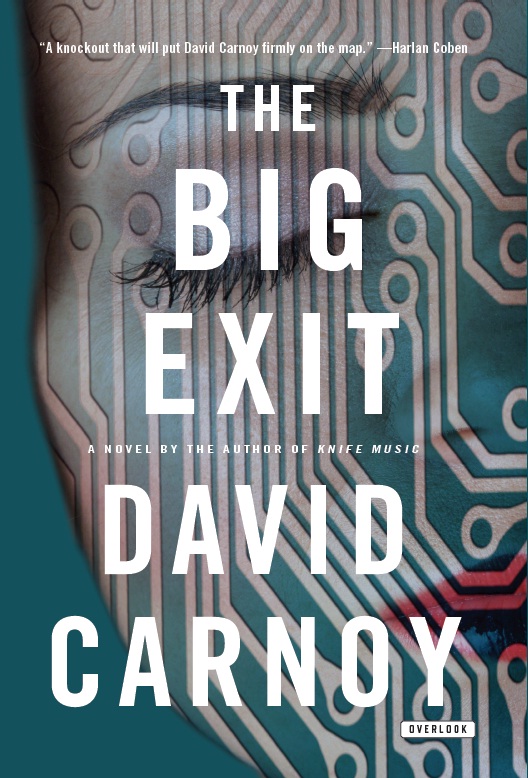
Part Two Of My Interview With David Carnoy Just Weeks Before His Book, “The Big Exit,” Debuts Nationwide

I know David Carnoy as a tech editor at CNET. I also know that he writes mystery books, but I never quite figured out how he does both. When does he find the time? I finally got around to asking him and then I got the biggest shock of all. David told me he has four kids under the age of eight, two of them twins. His wife works full time as a major executive for one of the country’s largest banks. They have an active social life and split their time between Manhattan and a country home.

I was amazed! I have friends who have been trying to write non-fiction and/or fiction books for years. Their excuse for not completing them, is that they just don’t have the time. What they really mean is that they are too afraid to tackle the project, afraid of rejection, or just too lazy. I loved the words that David used when I asked him a few times how he manages. “You just have to learn to stretch yourself.” Wow, how powerful are those words? When I told David that I was overwhelmed by his answer, he didn’t seem to understand why I was so amazed.

“When you are born to write, you write,” he further articulated. “John Grisham said you have to be dedicated to write at least four hours a day. Michael Crichton wrote every day till noon and then quit.” David believes writers have to build up their stamina just like runners. You get to a point where you are writing five to seven hours a day. This is a good lesson to all of us who are quick to lay blame on not having enough time to write. “I get up at 4am every day and I write till my other responsibilities kick in. I try to get three pages written each day. I also write at night after the kids go to sleep. I have been known to lock myself in a closet to get work done. I have been doing this since high school. While ‘Knife Music’ and ‘The Big Exit’ are the two books that everyone knows me by, I have been writing novels for more than 25 years.”

I also asked David if he could see himself as a full time novelist. He was quick to answer that CNET is very important to him. “This is something I have been doing for a long time. The demands of the job keep me involved in the tech business and keep me disciplined. I also learn a lot each day and that is a very important foundation to everything else I do. My goal is not to become a full time writer but rather a bestselling author.”

One of the greatest challenges most self-published authors have is being self-disciplined. “I even have trouble. I sometimes think to myself that I should have written more by now. You can never be too disciplined. That is where the biggest struggle comes in. When you publish digitally and you don’t have someone looking over your shoulder reminding you of deadlines, then you really have to be extraordinary to make it work. Other than that, this is a time in our lives where everyone is in control of their own destiny. Let’s see who makes it.”

The Tech Industry Is Getting A Murder Mystery

David Carnoy

Scoop! You are reading about this long before anyone in the tech industry finds out that one of their own is about to debut a Silicon Valley murder mystery that almost sounds all too real. That’s what makes it so perfect. David Carnoy, Executive Editor at CBS Interactive (he oversees reviews of home entertainment products at CNET), is less than a month away from telling the rest of the world that his next crime novel takes place in Menlo Park, CA, headquarters of Facebook. While there is no connection to Facebook, “The Big Exit” does involve a start-up with many twists and turns that make you feel like you are a member of this innovative and creative industry.

Carnoy admits that he was drawn to the tech industry for his second thriller because of his day job. “I just couldn’t ignore it. I grew up in Menlo Park and I write about tech every day of the week. It was just a natural.” One of the reasons I wanted to write about Carnoy’s second novel, is because his journey to become a successful author is one that teaches all of us about the powers of the Internet.

Carnoy’s first novel, “Knife Music” (about the medical field), was a self published e-book generating about $500.00 a month when an agent spotted the sales activity. He pitched the digital book to The Overlook Press who was impressed that an unknown, first time author was creating such a buzz. The tech writer admitted that unbeknownst to Steve Jobs, Apple helped create the PR attention he needed to get the word out. In addition to selling it online through Amazon’s Booksurge, which is now Createspace, and in print, Carnoy tried to offer the book as an app. It got rejected by Apple because the mystery contained curse words. When the media heard about the rejection, a number of reporters wrote stories about Apple’s publishing criteria, which was hot news back in 2009. The book finally made it into the app store after Carnoy removed the profanity.

That helped spread the word. There is an important lesson to learn here. It doesn’t matter if you self-publish online or get picked up by a traditional publisher, you have to have a hook in order to sell books.

Currently, “Knife Music” has sold 50,000 e-book copies and 5,000 hard copies. Carnoy also believes that more and more agents are scouting online, self-published bookshelves, for the next best sellers. He encourages all to take those manuscripts out of the closets, brush them off and convert them to self-published books.

The next installment of my report on Carnoy talks about the discipline needed to be a first time online novelist.

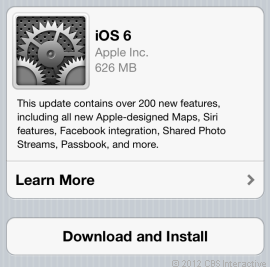
Don’t Forget To Upgrade Your iPhone To iOS 6

Don’t cry if you can’t buy the iPhone 5 yet. You can get many of the features if you just download the new iOS 6 software.

You must have an iPhone 3GS, 4 or 4S. iOS 6 is pre-installed in the iPhone 5. Warning: Siri does not work on the 3GS but you will get many of the other iOS 6 features.

iOS 6 features are also available to users of the iPad 2, New iPad and the 4th and 5th generation iPod Touch.

The Wall Street Journal ran a detailed story on the upgrades you get on your current Apple device if you download the iOS 6 software.

I have included the link to the story. I also copied and pasted the story for those of you who do not subscribe to the online version of the WSJ. You have to pay to read the digital version.

To download the iOS 6 on your device, click on Settings, General, Software Update. You should download the update when you are connected to Wi-Fi and have a full charge on your device, since it is a large download and will take some time to download and install.

Not Ready for iPhone 5? Upgrade Has Tricks
http://online.wsj.com/article/SB10000872396390444450004578004330637758200.html

The good news for plenty of current iPhone, iPad and iPod touch users pondering buying the new iPhone 5 is that they’ll get many of the 200 new features in Apple’s free update for mobile software, iOS 6, available on Wednesday. I’ve compiled a handful of the most significant features you’ll get with the iOS software update, which I tested on the iPhone 5 and the newest iPad. Some older devices won’t be able to use all of these features and one feature will work only on the iPhone 5: taking a still photo while recording a video. Here are some highlights of the new features. There are many more features too numerous to mention.

Do Not Disturb

Finally, the iPhone can let its owners sleep at night—with options. Until now, the iPhone’s silencing switch turned off all sounds with no alternatives. This meant that people who wanted to turn off alert sounds for Facebook notifications and incoming emails while they slept had to give up receiving phone calls in the middle of the night from, say, a relative having an emergency. The Do Not Disturb feature (turned on in Settings and adjusted in Settings, Notifications) turns off all sounds but can make exceptions. If you want to be notified whenever one of your favorite contacts calls you, the phone will ring. Another optional feature of Do Not Disturb lets calls ring through if a person calls twice in a row within three minutes. Do Not Disturb can be set to work on a daily schedule, like from 11 p.m. to 7 a.m., so you don’t have to remember to turn it on. People who are trying to maintain separate work and personal lives may even set this to work after they leave the office, only allowing calls from certain groups (like family and close friends) to ring between 6 p.m. and 8 a.m. If your phone’s silent switch is on, the phone won’t make noise no matter how Do Not Disturb is set.

Panorama

In iOS 6, Apple (as it often does) took a feature that’s already available in many smartphones and made it a lot simpler to use: capturing panoramic photos. In Camera, select Options at the top center of the screen and choose Panorama. A small on-screen diagram will appear to guide you as you click the shutter button once and pan the phone from left to right, following an on-screen arrow along a center line. Panorama works on the iPhone 4S and 5, as well as the newest iPod touch.

Better Sharing

IOS 6 has improved sharing in two significant ways: It’s now integrated with Facebook and enables sharing directly from the places where people think about sharing. You can share to Facebook using various tools such as the Notification Center screen (pull this down from the top of the screen and select Tap to Post in Facebook); using Siri (tap and hold the Home button before saying, “Post to Facebook”); or by clicking a share button (a square with an arrow) on nearly any screen—including photos.

Until now, iOS forced people to open Facebook, select Photo in the app and then choose an image to share. Now, people can tap the share button while looking at a specific photo and send that photo out to Facebook. Likewise, you can now add photos or videos to emails as you’re composing them—not by starting with photos. This is something people naturally do on their desktops as they add photos or videos to emails. Do this by tapping anywhere on the screen in the body of the email to see the Select, Select All, Paste options appear. Then tap on the right arrow and select Insert Photo or Video.

App Store

While Apple’s App Store now holds 700,000 apps, the revamped App Store app for iOS doesn’t look overcrowded thanks to a more organized layout. Search results appear in card format, one per screen. By swiping one app to the left, another appears. Developer information, reviews from other users and screen shots of the app appear in a helpful, methodical format. While the old App Store forced people to scroll down a lot, this App Store makes better use of the horizontal plane. It does a better job of displaying Genius, a feature that suggests apps you might like according to those you’ve purchased.

Maps

Apple is now shipping its own Maps app, replacing Google’s Maps app on devices receiving the update. This app takes some getting used to, and its maps appear a bit more zoomed in, overall. But its turn-by-turn directions (available on the iPhone 4S, iPhone 5, iPad 2 or later) will be a big help for people who want a hands-free option for driving: Just plug in your destination address, pick a route and tap start to hear navigation instructions announced out loud as you drive. The text of the directions still appears on the device’s lock screen, in case you put it down and it locks and you need to quickly glance at the next step.

Siri

Apple’s voice assistant, Siri, has been updated to do more and now works on the latest-model iPad and iPod touch as well as the iPhone 4S and 5. Siri can now open apps and do more with them; I composed a Facebook message and never touched any keys. But it still has its inaccuracies: In a quiet office, I said, “Launch Google Plus,” which Siri interpreted as “Lunch Google Plus,” and then said, “I found 15 lunch restaurants, 11 are fairly close to you.” This is a failed experience that happens all too often.

Freedom from Wi-Fi

Now, the FaceTime video chats you make on iOS can be conducted over cellular, not just WiFi. This works on the iPhone 4S and 5, as well as the newest iPad, so long as it has cellular data capability.

MIT’s Folding City Car

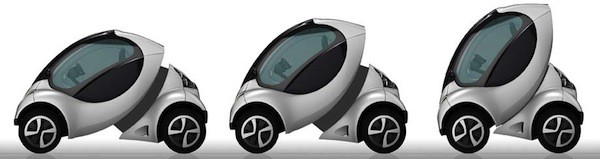
MIT Media Labs is working on a new concept called “Hiriko” which means urban mobility. The new electronic “folding car” has been designed for shared ownership so users can drop it off in different locations. Think of it as one-way driving. MIT claims that most people who live in urban areas only use their cars a small percentage of the day. It makes sense to have smaller, shared cars to help protect the environment and be as economical as possible.

For parking purposes, the bubble-shaped car allows the back section to slide forward, “folding” the cabin up vertically . That means that it will only occupy two thirds of a parking space taken by a Smart Car. Other features include a single front-opening door and joystick controls rather than a steering wheel. Four independent in-wheel motors allow for separate steering. The vehicle will sell for $16,500 each.

You will see these cars on the road sometime next year. Read more about it in Engadget.

Watch the video below.

You’ve Heard Of The Electric Car? Now There Is An Electric Boat

Can you imagine water skiing on a lake where powerboats were previously prohibited?

Coming to you soon.

Kara Swisher, one of the most important tech writers in the business and co-founder of AllThingsDigital at the Wall Street Journal, revealed an electric boat for the mass market earlier this week. Click here to see Kara’s story.

They said it could never be done but long time tech entrepreneur. Andy Rebele, of Pure Watercraft, did it. Click here to see his story.

The boat is so quiet no one will hear a thing, except the birds and the bees.

Rebele’s last start-up was CityAuction, which he sold to IAC/InterActiveCorp for $54 million.

I guess he is ready for his next big wave.

Not Everyone Knows What I Am About To Show You

Below are videos that I took this morning on my iPhone of a fire on Fifth Avenue and 22nd Street in the Flatiron District of Manhattan. I shot five quick videos that show the fire engines pulling up to the location, the ladders being hiked up to the roof to find the cause of the fire, and the reaction of the people on the street.

I transferred the videos from my iPhone to YouTube, then I wanted to post them here. Normally, I would just cut and paste the links from YouTube. You would then have to click on each one of the links to see the videos. A colleague showed me how to embed the videos into my blog post so the videos can be played from.within my blog, rather than sending you to the YouTube site to view them.

What I am about to explain can only be done on blog posts or websites. You cannot embed a video in an email. Facebook automatically embeds videos for you, but it is interesting to learn how it is done on other sites.

1-First go to YouTube and select the video you want to embed.

2-Press the “share” button. Normally you would then select to “share” it in email, Faceboo,k or Twitter.

3-Instead of selecting which way you want to “share” it, click on “embed.”

4-Copy the code that appears in the box right near “embed.”

5-Go to the website where you want to embed the video and paste the code in.

6-The actual video will then show up on the page instead of the link.

It is so cool. Look at my video posts below. I embeded all of them to show up as videos, not links.

Get Used To The Word “Smart”

You all know what a smart phone is. For those of you who don’t, it is a mobile phone with more advanced computing features. The first smart phones mainly combined the functions of a personal digital assistant (PDA), a mobile phone and a camera. Today’s smart phones also have portable media players, digital photo and video cameras and GPS navigation capabilities plus 700,000 apps.

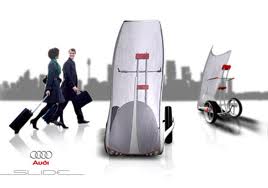
Now we are entering the world of smart cars, smart roads, smart parking and smart public transportation. I am sure after that we will find ourselves involved in smart clothes, smart food, smart furniture, smart exercise, smart arts, and yes, smart travel.

Many of the car companies today are advertising smart cars with all the latest gizmos like navigation, voice recognition, remote controls, and automatic sensors. Bill Ford, Executive Chairman of the Ford Motor Company, has been trying to stay ahead of the curve by looking way into the future to see how we can cure some of the traffic challenges drivers face today by just applying smart technology.

Ford said the answer to traffic problems is not to build more roads. “When Americans began moving west we didn’t add more wagon trains, we built railroads. To connect our country after World War II, we didn’t build more two-lane highways, we built the interstate highway system. Today we need that same leap in thinking for us to create a viable future. We are going to build smart cars, but we also need to build smart roads, smart parking, smart public transportation systems, and more. We don’t want to waste our time sitting in traffic, sitting at toll booths, or looking for parking spots. We need an integrated system that uses real-time data to optimize personal mobility on a massive scale, without hassle or compromises for travelers. That’s the kind of system that’s going to make the future of personal mobility sustainable.”

Here is some of his thinking:

1-A smart road system that automatically changes traffic lane direction based on timing and congestion levels.

2-Automobiles that signal a network system when they run into traffic jams on the highway. The signal warns cars behind them to change course and take a different route.

3-Traffic jam alerts on the dashboard so drivers have the option to proceed to the next metro train stop. Drivers hop on a train to work, and then after work take the train back to the station where they parked their car.

4-Red traffic lights that switch to green if no other cars are approaching.

5-A smart phone app that automatically books parking spots and then alerts the location to drivers.

Some of these ideas may sound a little farfetched. Not so! Just remember life before Google.

I want to credit CNET for distilling some of this information so we can get a snapshot of what is going on in Detroit. I also included links from Ad Age, Geek.com, Popular Science, Science Daily, The Car Connection, and Wired for additional information. I even gave you a clue to what each story is about. Simply fascinating!

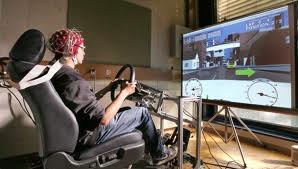
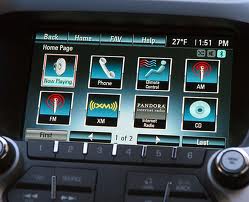
From Pupil Tracking to Gesture Recognition, Vehicles’ Best Selling Point Is Increasingly Inside the Cockpit

Look Ma No Hands

Detecting An Icy Patch

Cars That Talk To Each Other To Prevent Accidents

Google Controls Your Driving

Happy Trails To You………….

The Next Big Thing In TV—–4K

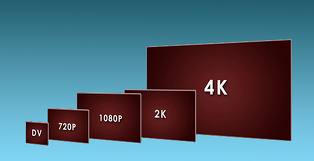
You will be hearing a lot about a new improvement in TV viewing called 4K, so I wanted you to know about it first. It is a long way off, but tech writers will be devoting a lot of their stories to it. That is what they always do when a new improvement has been announced. I didn’t want to leave you in the dark, so I am giving you a simple explanation of 4K and links to other stories if you want to explore.

The reason why it is called 4K, is because it is four times the resolution of the current HD – high definition – now.  Current HD maxes out at 1080 lines or a 1080p picture.  4K HD is 4096 lines, or 4096p.  Kind of like the regular display in the 1st generation iPad vs. the Retina Display in the new iPad – more pixels, higher picture quality. 4K originated in movie theaters.

Toshiba promises to ship a unit in the first quarter of 2013.  Westinghouse showed a 4K TV at CE Week.

That is all you need to know for now. Impress your kids and friends when you casually mention 4K to them. Trust me, they will suddenly have a new respect for like never before.

Toshiba’s 4K TV

http://news.cnet.com/8301-17938_105-20116433-1/toshibas-$12000-55-inch-4k-3d-tv-dazzling/

Sony is releasing a 4K projector

http://www.slashgear.com/sony-unveils-worlds-first-4k-home-cinema-projector-31231097/

Ars Technica describes 4K.

http://arstechnica.com/gadgets/2012/06/4k-tvs-are-coming-but-they-face-an-uphill-battle-in-the-home/

Happy Fifth Anniversary iPhone

We miss you Steve.

It has been five years since the iPhone was first introduced. I have included a link to CNET, one of the best tech blogs in the world, that shows Steve Jobs first introducing the iPhone at an Apple press conference. Witness history in the making. It gives me chills. I think I love my iPhone more than a lot of other things. Call me shameless.

http://news.cnet.com/8300-5_3-0.html?keyword=fifth+anniversary


How Qwerty Is This?

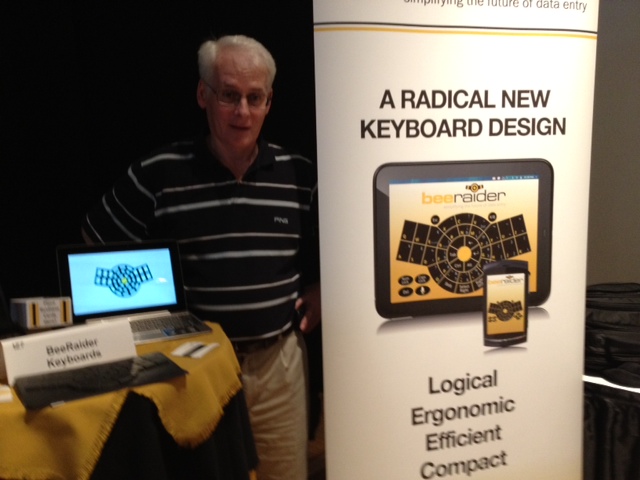
To all of you who have aches and pains from typing on a keyboard all day, good news is on the way. Ray Mc Enaney, owner of BeeRaider, came all the way from Ireland to CE Week to introduce a radical new keyboard design that challenges the dominance of the QWERTY standard. The QWERTY keyboard was first introduced in the late 19th century for mechanical typewriters.

Ray says it is time for a change. The new design is considered to be especially relevant for portable devices including smartphones, tablets, netbooks and laptop devices. The first Radial Keyboard is available for all Android users. Other formats are in the works.

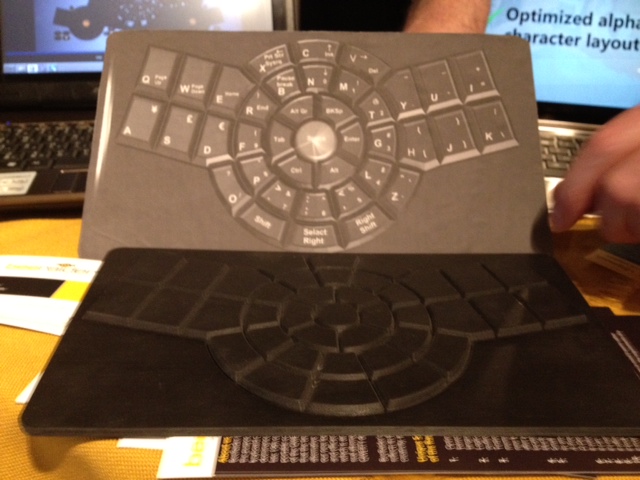
The new Radial Keyboard design follows several fundamental guidelines. The aim is to produce a design that would result in:

  • A keyboard that would be more logical, ergonomic and efficient
  • A reduction in user familiarization-time
  • An improvement in a user’s data-entry keying-speed
  • A reduction in the keyboard’s footprint size

As a point of information, the QWERTY layout was developed in an effort to solve a peculiar typing problem with mechanical typewriters. Whenever a typist began to type too fast, the previously pressed key jammed with the next key pressed and the wrong character was printed. The solution was to lay out the QWERTY keyboard’s alpha-character keys in such a way as to slow down a user’s typing speed. And in case you never noticed, the alpha-characters for spelling the word “TYPEWRITER” are deliberately placed on the top row of the QWERTY keyboard so that salespeople selling typewriters could easily demonstrate their typing proficiency by quickly typing this word to impress potential customers.

Unique selling points for the Radical design according to Ray:

  1. Optimized alpha-character layout based on each character’s frequency of use in the English language. Will achieve greater typing speeds
  2. Logical, more efficient ergonomic layout with a familiar user-friendly bee outline that anyone can readily relate to (especially children)
  3. Testing shows that the keyboard’s alpha-character layout can be easily memorized in as little as 10 to 20 minutes. Becoming a touch-typist is a possibility for everyone. Remember, most people even after years of using QWERTY, still don’t know where the alpha-keys are located and must look at the keyboard in order to find them when typing
  4. Much bigger keys for the weaker less dexterous fingers
  5. Small portable size footprint but still maintaining an acceptable keycap size for its smallest keys.
  6. It solves the problem of small cramped keys on devices such as Netbooks
  7. It can be conveniently operated with one or two hands
  8. It has room for a built-in mouse and cursor-keys or numeric keypad
  9. It looks like fun
  10. It reduces the possibility of RSI (Repetitive Strain Injury)

Ray added that the future is about portability, connectivity and wear-ability. ”QWERTY no longer meets the requirements of a modern data-entry keyboard device.”

Ray is in IT support at the Dundalk Institute of Technology.