Getting Better Zzzzzzzz

20140629-020555-7555669.jpg
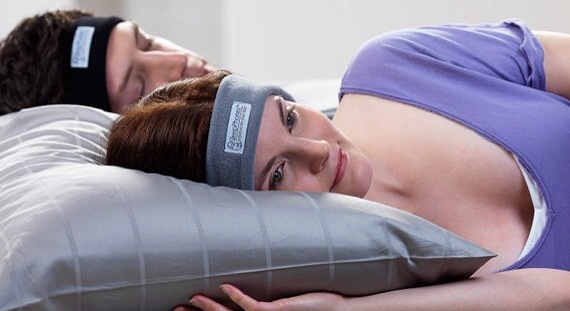
Here is a solution for many people who have trouble sleeping. SleepPhones!! Make your own environment by turning off ambient noise and adding soothing music. SleepPhone is a safe and comfortable headband for bedtime. The soft headband includes the earphones for music. It simply drowns out all the noise that keeps you from sleeping,

I always get a lot of questions about product specifications so I decided to include them all.

-Soft fleece headband hugs speakers to your ears
-Fits most humans – 21 1/2″ – 23 3/8″ around (around head, just above the ears)
-Speaker position adjustable
-Impedance: 32 Ohms
-Frequency: 20 – 20 kHz
-Power: 300/500 mW
-1/8″ (3.5mm) stereo plug
-Materials: Polartec 88% recycled plastic polyester, 12% spandex
-Removable speakers and machine-washable headband
-Battery life: 5-7 hours Charging time: 2 hours
-Wired: 48″ cord
-Bluetooth wireless range: 15-30 ft.
-Bluetooth features built-in volume control, play/pause
-Function as a private alarm clock if you can set your device to play music at a specific time
-Sewn and assembled in the USA

An invention like this can make all of the difference in the world. Check it out on Amazon. Price $44.95.

Here is my take on a product like this. If it relaxes you, and makes you cozy, then it will probably work. Just like comfort food, make your sleeping environment feel good for you.

Good night!

Forget Me Not

20140628-004605-2765351.jpg

20140628-004605-2765082.jpg

The smallest booth at CE Week received the most attention. A tiny accessory called the ChargerLeash will prevent you from forgetting to take your charging cable out of the wall socket after your device is unplugged.

Many folks leave charging cables in hotel rooms, public areas, and in the homes of friends after they have powered up their mobile devices.

ChargerLeash features a small branded box in the center of the cable that will sound an alarm within five seconds if you forget to unplug your charger. First you connect the ChargerLeash to your mobile device and then plug it into your charging cord.

It is that simple.

The ChargerLeash is great for travelers who recharge their mobile devices in public outlets. No more thieves walking away with your phone without you being alerted. You will also never leave your power source behind in a hotel room. Buzz buzz.

The ChargerLeash is $34.99. If you think it’s expensive, remember it could save you plenty of money buying replacement charging cables in the future.
.
ChargerLeash is now available on Amazon.

A Stand That Keeps Me Lying Down

20140627-021647-8207427.jpg

20140627-021649-8209604.jpgPhoto by DigiDame.

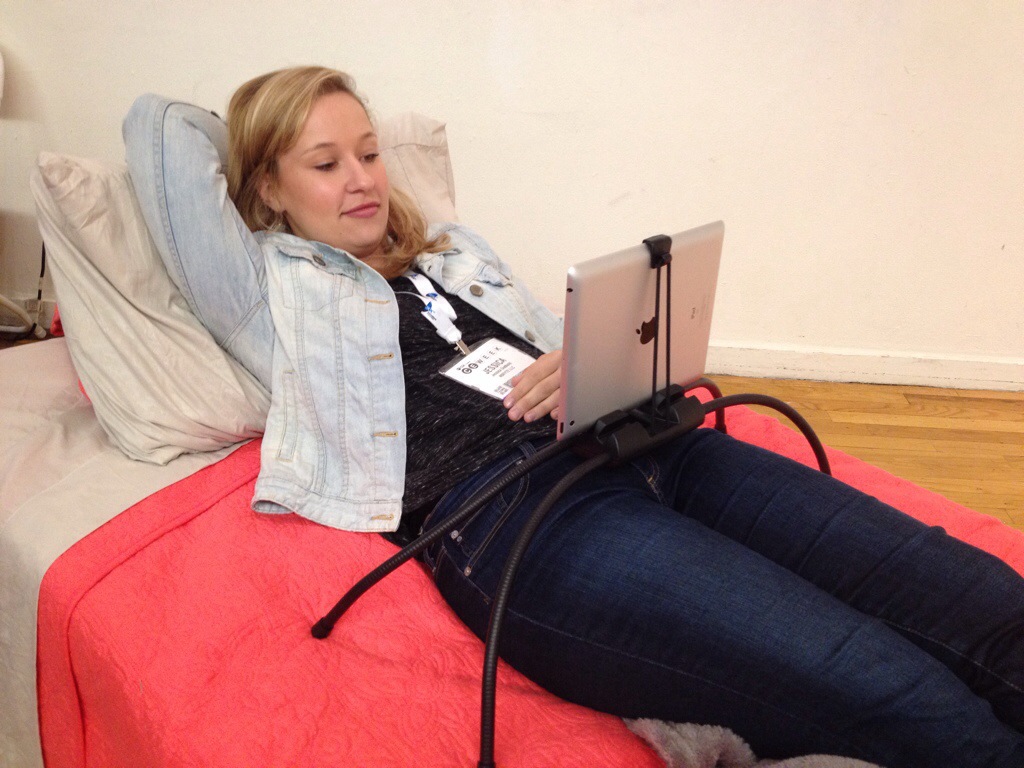
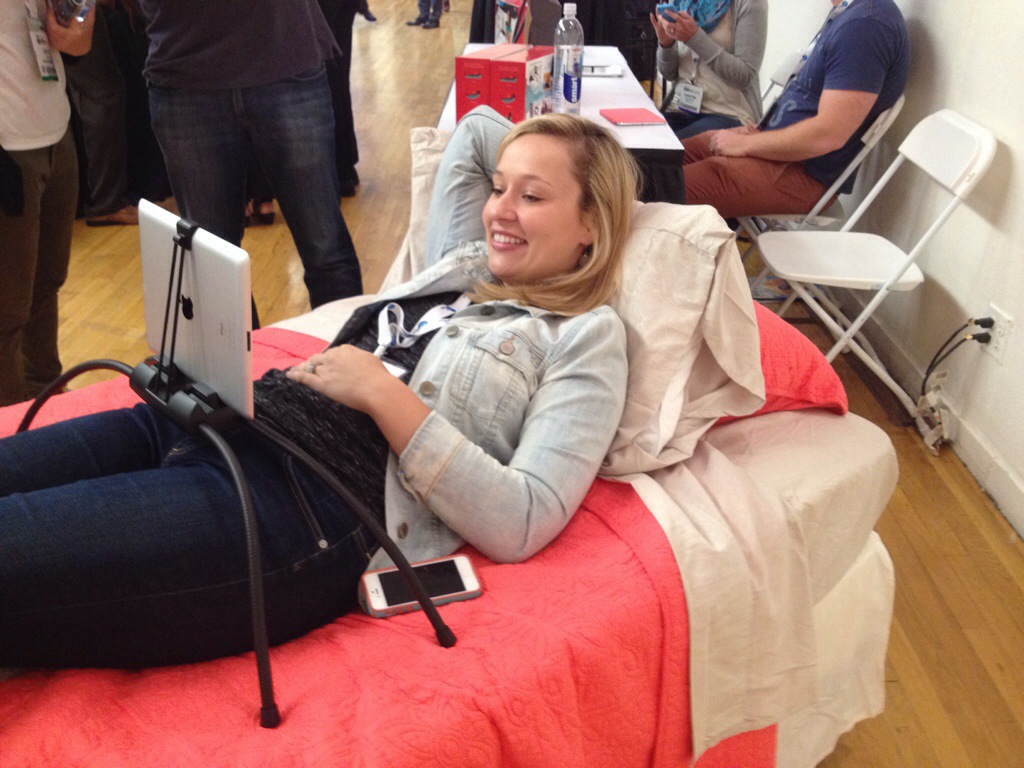
I’ll bet you think I'm sitting up while typing this post. Wrong. I'm lying down in my usual position. Ever since we gave up our physical office, I tend to hang out in bed more. I am totally comfortable diving right into my work early each morning without going through the daily rituals required when you leave the house.

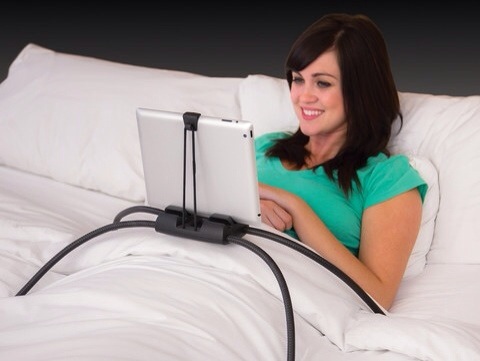
I'm actually on my back right now as I type away. I'm holding my iPhone with my right hand and my left hand is clicking the keys. All this may change now that I saw the Tablift at CE Week.The Tablift by nbryte was designed to hold a smartphone or tablet for the person who likes to hang out on the couch or in bed.

The Tablift folks said most smartphones and tablets get 80% of their use in bed. The newly designed stand allows you to use your tablet in these places completely hands-free.

Learn more about The Tablift by clicking here.

The Tablift will be available on Amazon in a few weeks at $59.95.

20140627-084630-31590520.jpg

20140627-084630-31590347.jpg

Lifelogging


I am going to take the money that I was going to use to buy a new mini iPad and purchase The Narrative Clip. The Narrative Clip was one of the most talked about products at CE Week this week. It’s a tiny, automatic camera that records your life.

I want to record my conversations without being conspicuous. I have been getting into disputes lately with close ones about who said what to whom, and how accurately I remember it. The Narrative Clip snaps two pictures a minute. Retailing at $279, the clip-on camera is part of a new wave of wearables that seniors could find very useful.

The video, above, gives you a great test review.

A Spoon That Controls Tremors


I have trained myself to look for the little details in people. I am very into body language and facial expressions. I can tell immediately if someone is not feeling well or has had a change his or her personality. I can’t tell you why I know the difference in people, but I can immediately pick up changes.

I can instantaneously spot a slight tremor, even if it is totally subtle. A few months ago, I had breakfast with a group of friends. I was a little shocked when I saw one of the youngest guys at the table shaking. At first I thought I was seeing things, but then I noticed that he kept his hands under the table.

I didn’t ask what was wrong, but I got very nervous when he started to eat. Everything was going all over the place. I had to pretend all was normal.

CNET recently did a story about the Liftware Spoon by Lift Labs in San Francisco. Its patented spoon technology actually helps stabilize tremors and related disorders. A press release said the spoon uses an “active cancellation of tremor” technology that works to counteract the tremors people can experience in their hands and help prevent spills.

The folks at Lift Labs say the spoon will cost $295 when it becomes available in September. Watch the video to see if it is worth it. We may need to tell others. The older we get, the more shaking is going on. Look for it.

I’m A Devoted Water Flosser

20140623-004714-2834168.jpg

20140623-004757-2877082.jpg
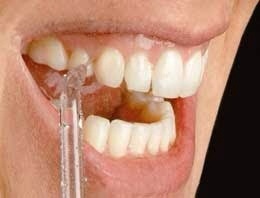
I hate flossing so much that I have just avoided it all together for years. It’s not that I’m too lazy to take the time to floss. It’s that I don’t like placing the string between my teeth. I always feel like I am going to yank a tooth right out of my mouth. It just doesn’t seem like the smart thing to do even though my dentist insists nothing will happen.

As luck would have it, a former client of mine joined Water Pik, in Fort Collins, Colorado, a few months ago. Suzanne Carranza called to tell me about her new marketing job and how she was promoting the company’s latest product, a water flosser. I immediately became intrigued because I realized this could turn out to be a great alternative to the scary string.

I got my hands on The Waterpik Ultra Water Flosser (WP-100) a few weeks ago and I have been a dedicated flosser ever since. I really wanted to tell you about this device but I had to test it out for a period of time before writing my review.

Quite honestly, I feel like I am doing something very good for myself. The force of water feels great on my gums and the entire cleaning process makes me feel refreshed and reinvigorated. I get the same feeling when I take a shower. It’s like providing myself with a clean slate. I’m washing away all the unwanted remnants from yesterday and giving myself a fresh, new start.

By the way, Suzanne assured me that the Waterpik Water Flosser is ideal
for anyone’s with braces, implants, crowns, bridges, or periodontal pockets.

I have to admit that the first time I used the Waterpik Water Flosser, I made a mess. I sprayed water everywhere. My bathroom mirror, the counter, the sink, and my clothes were soaked. I got the hang of it and now, there’s not a drop of water anywhere.

I am proud to say my gums are getting a workout and I feel better about trying to achieve better oral health.

Instagram For Doctors

20140620-232524-84324057.jpg
Image: Figure 1.

I am sure there were many times over the years, when you visited a doctor, you wanted a second opinion, right then and there. Just a few weeks ago, I visited my dermatologist and thought for sure I had another basal cell carcinoma on my leg. When he told me my skin was clear, I wished that I had another doctor confirming his diagnosis. The news was too good to be true.

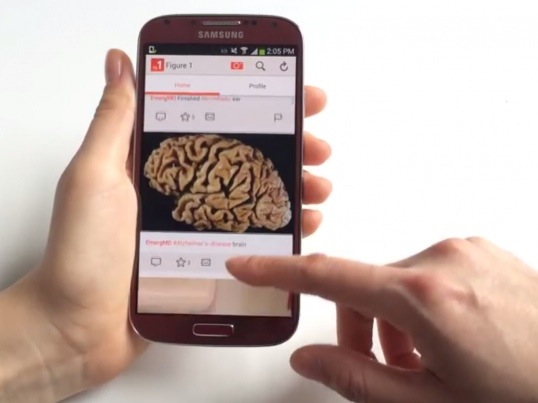
The day of doctors conferring with each other, right on the spot, is finally here. Say hello to Instagram For Doctors. Created by Dr.Josh Landy, a Canadian Internist, the new app is called Figure 1. It lets doctors upload medical photos, explore others, and discuss them with the network of medical professionals. The app was designed to safeguard all personal information.

LinkedIn identified Dr. Landy as a Canadian Internist and Critical Care Medicine Specialist, having completed his M.D. at the University of Western Ontario, his internal medicine residency at the University of Alberta, and his critical care fellowship at the University of Toronto. In 2012, Joshua was invited to become a visiting scholar at Stanford University, where he researched online and multimedia-oriented approaches to health education. In 2013, Joshua co-founded a mobile health startup called Figure 1, a free-access repository of medical images available to the medical community.

Figure 1 helps doctors communicate with other medical professionals who have certain specialties. Doctors create their own Figure 1 profile, detail personal information such as specialties, areas of interest, the institution they’re associated with, and their location.

Landy claims, “There are around 100,000 medical professionals and almost 15% of U.S. medical students, currently using Figure 1. The app gets around 500,000-700,000 image views a day and has about 80 million image views total.”

I’m happy doctors can now easily exchange images. I just hope more and more take advantage of it.

Business Insider, a news site, recently posted a more in-depth story about Figure 1. Enjoy it.

Cell Phone Battery Myths

20140620-004230-2550728.jpg
Yesterday we talked about what to do if your cell phone was suddenly submerged in water. Many DigiDame fans sent me emails recounting their personal experiences. I have no idea why they were too shy to post them on DigiDame, but I thank them anyway for their feedback.

I also received a lot of funny remarks about Silica Gel Packets. For those of you who asked where to buy them, the answer is simple: Amazon.

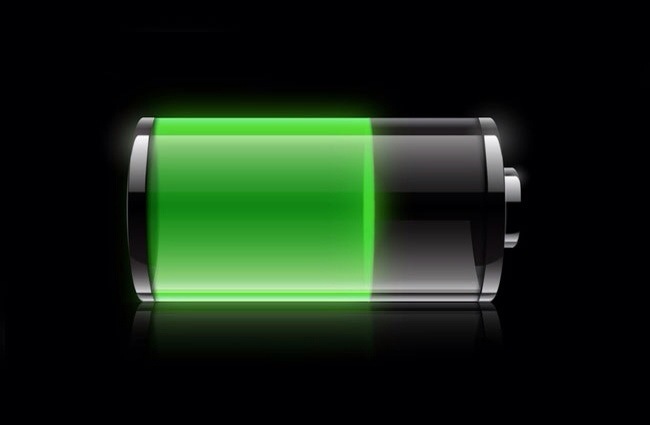
Today, I want to share how to treat your cell phone batteries. As luck would have it, Mashable, a lifestyle/tech news site, ran a story about this today. I read it with great interest because I have been given misinformation on this topic over the years.

Here are the facts, once and for all. For more in-depth information click here.

Myth 1: Using off-brand chargers destroys batteries.

The truth: Off-brand chargers, while not optimal, are fine. It’s knockoffs you should avoid. (Knockoffs are brands that look like the popular ones. Off-brands have their own identify).

Myth 2: You shouldn’t use your phone while it charges.

The truth: Use it all you want, as long as you’re not using a sketchy third-party charger.

Myth 3: Charging your phone overnight kills the battery.

The truth: Your phone is smarter than you think. Once it’s fully juiced up, it knows to stop charging. That means the battery isn’t even in use at all.

Myth 4: You don’t need to turn your phone off — ever.

The truth: Your phone may be a machine, but it still needs to take a few breaks. An Apple Genius said that in order to maximize battery life, you should turn off your phone from time to time, especially when you go to bed at night.

Myth 5: Don’t charge your phone until it’s completely dead.

The truth: It’s better to charge your phone every day than to do a “deep charge” from time to time.

I urge you to read the Mashable post. It will provide you with the finer points.

Saving Smartphones That Take The Plunge

20140618-234355-85435301.jpg
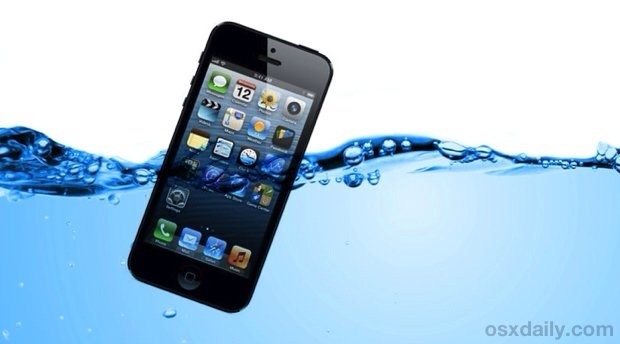
Everyone has different theories on how to save your cell phone if it accidentally falls into a basin of water, or worse, the toilet bowl. I am happy to report that our friends at CNET, one of the utmost authorities in everything digital, have published the most definitive steps to take if your smartphone accidentally takes the plunge

Here you go.

Step 1. Turn your phone off immediately,

Step 2. Dry the outside of the phone with a lint-free towel, paying close attention to any ports, speakers, and microphones.

Step 3. Place the device and parts in a zip-top storage bag, along with a handful of silica gel packets.

Step 4. Wait 72 hours before turning on. This is probably the hardest part.

Step 5. Power your phone on. You should be back in business

For a more detailed explanation, click here.

Art Is A Beach

Andres Amador relies on a many different digital cameras to photograph his work. He uses the best of the best, and sometimes a disposable camera that you buy in a local drugstore. He’ll take anything he can get, because if he doesn’t capture his art, he may never see it again.

Amador’s artwork covers over 100,000 feet of beach during low tide. Once the tide comes in, his art work gets washed away as if it never existed. Amador doesn’t really consider the finished product the true masterpiece. It’s the journey getting there.

Make sure you watch the video to see the most incredible images

20140617-003807-2287825.jpg

20140617-003807-2287655.jpg

20140617-003807-2287477.jpg

20140617-003808-2288118.jpg